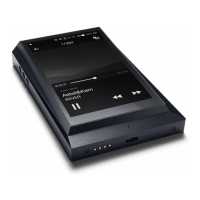
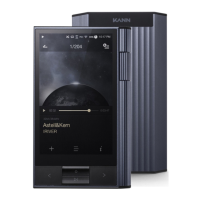
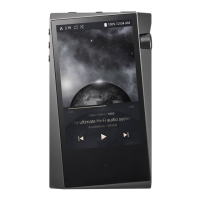
Need help?
Do you have a question about the Astell & Kern AK380 and is the answer not in the manual?
Instructions for turning the device and its screen on and off.
Steps for device reset and how to charge the AK380.
Guides for connecting earphones, headphones, and balanced audio devices.
How to connect via optical out and to a computer using USB.
Procedures for disconnecting, copying files, and deleting files.
Instructions for inserting and removing microSD cards.
Guide to updating device firmware wirelessly via Wi-Fi.
How to use the device's LCD touchscreen for navigation.
Techniques for scrolling lists and returning to the home screen.
Quick access to Wi-Fi, Bluetooth, EQ, and Line Out settings.
Accessing device settings, system information, and file search.
Managing screen lock, playback modes, and screen brightness.
Installing and connecting to the MQS Streaming Server.
Streaming music and connecting to wireless speakers via AK Connect.
How to find and play music tracks on the device.
Detailed explanation of controls and information shown on the player screen.
Steps for creating new playlists and adding songs to them.
Managing playlist order, removing songs, and playback.
How to rename or delete existing playlists.
Supported formats and guide for installing the USB DAC driver.
Setting the AK380 as the default audio device on a computer.
Enabling Bluetooth and pairing the device with accessories.
Terminating and removing Bluetooth pairings.
Accessing Wi-Fi, Bluetooth, and AK Connect configurations.
Adjusting Equalizer, Gapless Playback, and Line Out.
Managing system information, restore, and device customization.
Guidelines for safe device usage, storage, and environmental considerations.
Precautions regarding general operation, driving, and avoiding electric shock.
 Display
| display size | 4 inch |
|---|---|
| display resolution | 480x800 |
 Audio Specifications
| output level unbalance | 2.2 Vrms |
|---|---|
| output level balance | 2.3 Vrms |
| frequency response unbalance 20Hz~20kHz | ±0.053 dB |
| frequency response balance 20Hz~20kHz | ±0.053 dB |
| frequency response unbalance 10Hz~70kHz | ±0.56 dB |
| frequency response balance 10Hz~70kHz | ±0.55 dB |
| signal to noise ratio unbalance | 116 dB |
| signal to noise ratio balance | 117 dB |
| crosstalk unbalance | 130 dB |
| crosstalk balance | 135 dB |
| THD+N unbalance | 0.0008 % |
| THD+N balance | 0.0007 % |
| IMD SMPTE unbalance | 0.0007 % |
| IMD SMPTE balance | 0.0006 % |
| output impedance balanced out | 1 ohm |
| output impedance PHONES | 2 ohm |
| clock jitter | 30 ps |
| reference clock jitter | 0.2 ps |
Battery and Storage| built-in memory | 256 GB |
|---|---|
| external memory | microSD Max. 128 GB x 1 |
| battery capacity | 3, 400 mAh |
| battery voltage | 3.7 V |
 Weight and Dimensions
| width | 79.8 mm |
|---|---|
| height | 112.4 mm |
| depth | 17.9 mm |
| weight | 230 g |

 To Next Page