© TALLERES DEL AGUA S.L. 2008. TODOS LOS DERECHOS RESERVADOS. DOCUMENTO CONFIDENCIAL Y EN PROPIEDAD.
Page 34 of 53
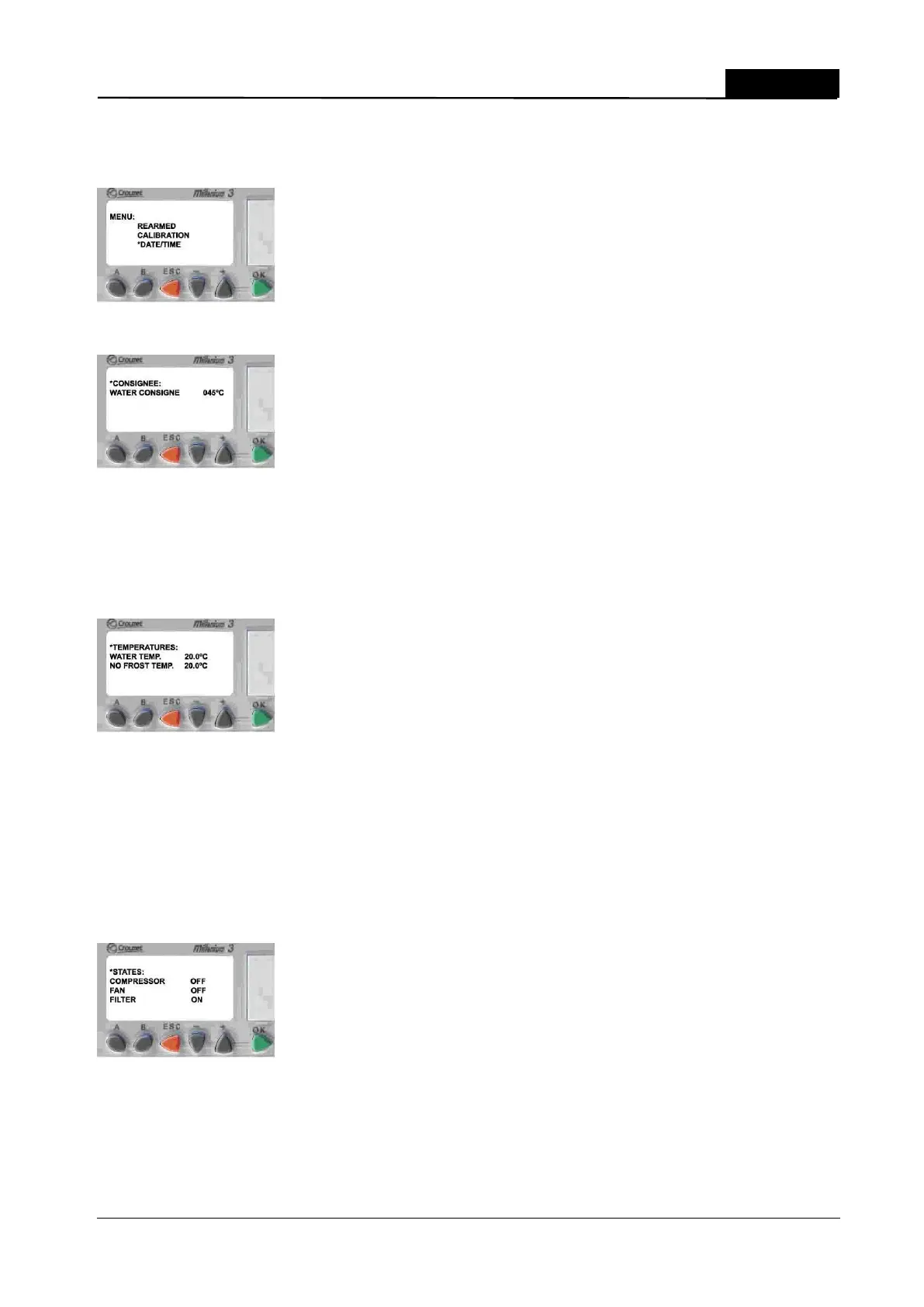
If we push continuously the key +, the star mark goes through the submenus. Once it is reached the
selected submenu we press the OK button to confirm the entry. After that screens related to
submenus and data are shown.
CONSIGNEE Menu:
To modify the consignee value just press the key + o – according to the desired temperature. Once
we have modified the temperature, press OK and ESC to come back to the main menu. Available
values go from 10ºC to 45ºC.
TEMPERATURE Menu:
This menu shows:
Water Temperature
Defrost Temperature
This menu is just to see current values for this two temperatures. Parameters can not be modified
in this submenu.
STATES Menu:
In this menu we can see:
Compressor state
Fan Estate
Filter Estate.


 To Next Page