CHANGE OF FREQUENCY / REMOTE CONTROL
CHANNEL
Attention: Before programming the fl ood lamp, turn the
power supply OFF.
Programming process:
1. Connect the fl ood lamp to the power supply and turn
the remote control on (you have one minute to fi nish
the process or you will have to start again).
2. Hold down the refresh button
for 15 seconds
on the remote control, until number 1 on the remote
control is switched on (or the channel that you have
confi gured from 1 to 4).
2.1 Stop pressing the refresh button.
2.2 Press + or – to change channel (there are 4 dif-
ferent channels).
2.3 Press the refresh button again to save the channel.
2.4 Check that the projector is responding to remote
control orders.
If point 2.4 works, you have successfully changed to
the new channel. If the lamp does not respond, start
again from point 1.
LumiPlus Control Motion is only compatible with the
Lumiplus PAR56 Wireless range.
ENGLISH
FRANÇAIS
CHANGEMENT DE FRÉQUENCE / CANAL DE
CONTRÔLE À DISTANCE
Attention:
Avant de commencer la programmation, veuil-
lez vous assurer que le projecteur NE reçoit PAS de ten-
sion.
Processus de programmation:
1. Connectez le projecteur au réseau et allumez la télé-
commande (vous disposez d’une minute pour termi-
ner le processus, sinon vous devrez recommencer
depuis le début).
2. Appuyez pendant 15 secondes sur la touche refresh
de la télécommande jusqu’à ce que le numéro
1 de la télécommande (ou du canal que vous avez
confi guré de 1 à 4) s’allume.
2.1 Arrêtez d’appuyer sur la touche refresh.
2.2 Appuyez sur + ou – pour changer de canal (il y a
4 canaux différents).
2.3 Appuyez à nouveau sur la touche refresh pour
maintenir le canal
2.4 Vérifi ez que le projecteur répond aux ordres de la
télécommande.
Si le point 2.4 fonctionne, vous avez réussi à aller sur le
nouveau canal. Si la lampe ne répond pas, recommen-
cez depuis le point 1.
LumiPlus Control Motion est uniquement compatible
avec la gamme Lumiplus Wireless.
COLOR
SEQUENCE
SPEED -/+
ON/OFF
REFRESH
Central Display / Indicateur Central
Indicador Central / Indicatore Centrale
Display Angezeigt / Indicador Central
SPEED
LumiPlus
CONTROL MOTION
Made in EC
Sacopa, S.A.U.
Pol. Ind. Poliger Sud – Sector I
17854 Sant Jaume de Llierca (Spain)
59125E201
ASTRALPOOL
Avda. Francesc Macià, 38, planta 16
08208 Sabadell (Barcelona) Spain
info@astralpool.com

 Need help?
 General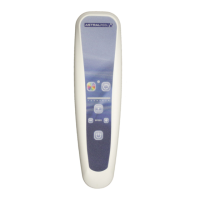

 To Next Page