EQStarPro User Guide www.astro-gadget.com
13
object is in view, sync to that object in SynScan Pro to correct the pointing accuracy near this
object.
5.9. iOS Devices and EQStarPro
iOS devices also can control EQStarPro via SynScanPro and SkySafari Pro downloaded from the
Apple App Store.
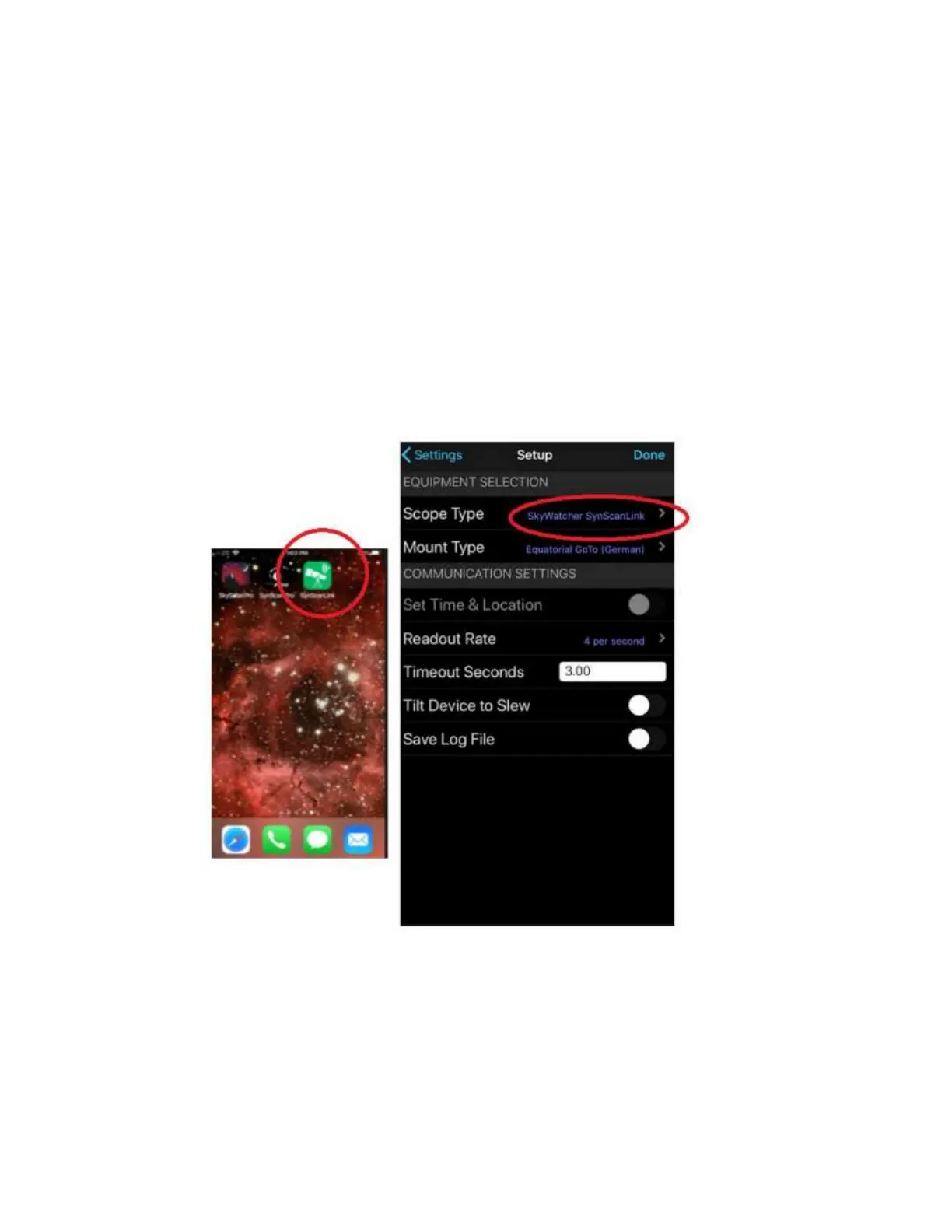
For SkySafari Pro to work on iOS devices, you will need to install an application called
“SynScanLink”. After downloading SynScanLink to the iPhone, the SkyWatcher
SynScanLink telescope appears in the Skysafari telescope list. Use this choice and the
Skysafari Pro and SynScanPro apps will communicate with each other via SynScanLink and
you can control the mount with the Skysafari Pro.
The SkySafari Pro app may need to be reinstalled after adding the Synscanlink app.
Also, tracking will not occur if it is not enabled in Synscan Pro (by unparking the mount).


 To Next Page