Need help?
Do you have a question about the Astro Gaming A30 and is the answer not in the manual?
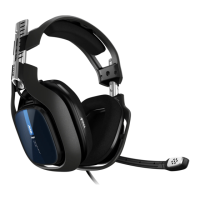
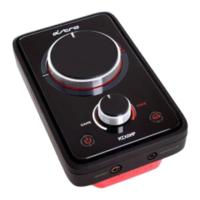
Explains using the A30 headset with the ASTRO Audio System for enhanced gaming.
Details the A30 headset and its Quick Disconnect feature for audio connection cables.
Explains the removable Speaker Tags for personalizing the headset's appearance.
Describes the included travel case for safely storing the headset, mic, and cables.
Details the standard QD cable for connecting to audio devices and the ASTRO MixAmp.
Explains the PC QD cable with volume control for direct PC connectivity.
Describes the shorter 4-pole mobile QD cable with a multifunction button for smartphones.
Details the removable Speaker Tags held by magnets for customizing headset appearance.
Guides on attaching the microphone boom to the headset for optimal audio fidelity.
Explains the mic selector switch and mute control on the Quick Disconnect for audio input.
Instructions on connecting the headset cables to the A30's Quick Disconnect properly.
Connects the headset via 4-pole QD cable to the ASTRO MixAmp for blended audio and mic functionality.
Connects the headset via PC QD cable to a PC's microphone and audio jacks for setup.
Connects the headset via 4-pole QD cable to devices with 3.5mm stereo output.
Connects the headset via 4-pole QD cable to mobile devices with 3.5mm 4-pole connectors.
Troubleshooting steps for when the A30 headset has no sound, checking connections and volume.
Troubleshooting steps for microphone issues, checking connections, mute status, and selector.
Guidance on fixing reversed audio by ensuring the headset is worn correctly.
Information on how to contact support via email for further assistance with issues.
Details the one-year warranty on defective parts or faulty workmanship for ASTRO Gaming products.
Specifies that all defective parts or faulty workmanship are covered under warranty.
Lists damages not covered by warranty, such as accident, misuse, or failure to follow guide.
Explains that ASTRO Gaming will repair or replace defective parts free of charge within the warranty period.
Instructions on how to obtain ASTRO Gaming warranty service via email for support.
Defines the exclusive remedy and liability limits for the product's warranty.
 General
| Type | Over-ear |
|---|---|
| Impedance | 32 Ohms |
| Frequency Response | 20Hz - 20kHz |
| Driver Size | 40mm |
| Microphone Frequency Response | 100Hz - 10kHz |
| Cable Length | 1.5m |
| Wireless Connectivity | 2.4GHz Wireless |
| Microphone | Yes, detachable |
| Compatibility | PC, Xbox, PlayStation, Nintendo Switch, Mobile |
| Customization | Speaker tags |
| Connectivity | 3.5mm Jack |

 To Next Page