PREPARATION BEFORE USE
Charging the Rechargeable Battery Pack
Connect one end of the USB charging cable to the 5 V 2 A port on
the rechargeable battery pack and the other end to the charger
head.
NOTE: The charger head is not included in this package, you may
purchase it separately.
A red battery indicator indicates charging.
A green battery indicator indicates that charging is complete.
Installing and Removing the Rechargeable Battery Pack
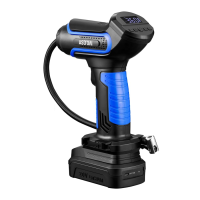
Push the bottom of the tire inflator to the left along the battery's
groove. Once the bottom of the tire inflator is flush with the battery,
it is successfully installed.
20V
- 06 -


 To Next Page
 Loading...