EasyManua.ls Logo

Asus A31AM-J - User Manual

Asus A31AM-J
70 pages
Print Icon
To Next Page IconTo Next Page
Loading...
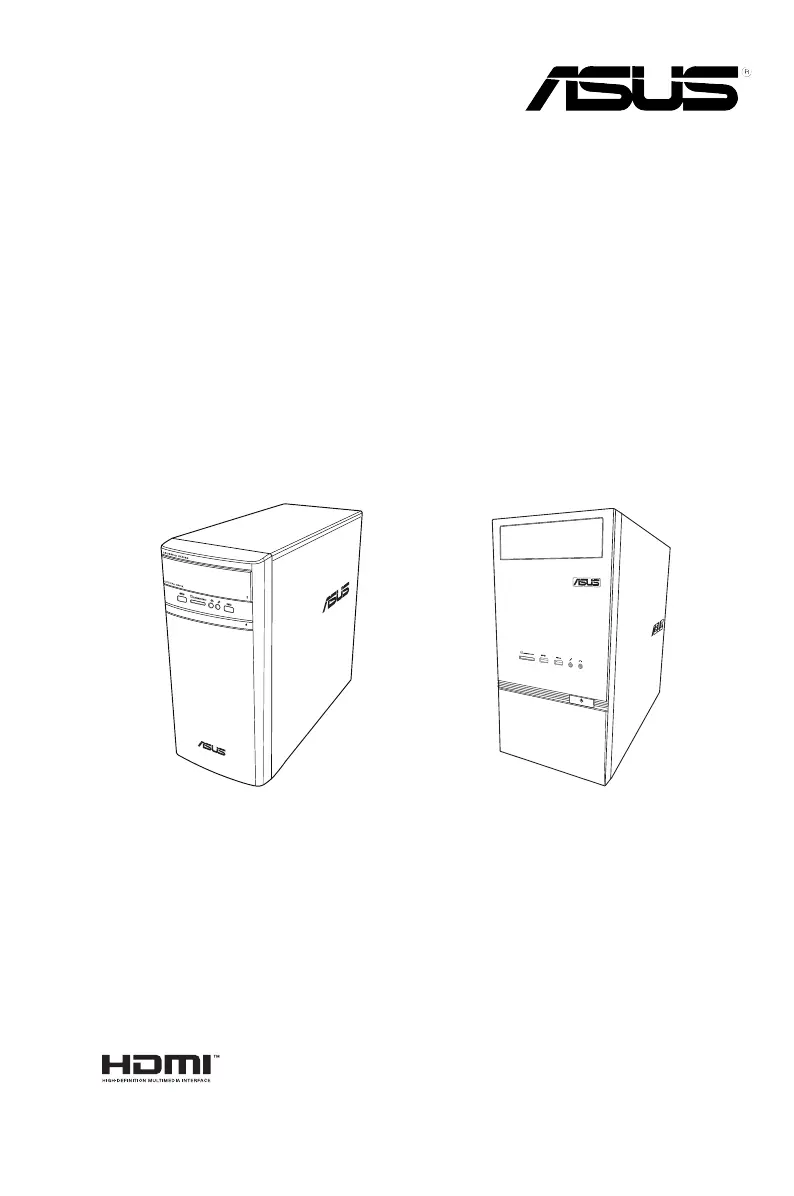
Desktop PC
A31AM-J / F31AM-J / K31AM-J / K30AM / K30AM-J
User Guide
K30AM / K30AM-JA31AM-J / F31AM-J / K31AM-J

Questions and Answers

  • K
    Kayla JordanAug 16, 2025
    How to fix an Asus A31AM-J that won't turn on?
    • A
      Angela OnealAug 16, 2025
      If your Asus Desktop pc won't turn on and the power LED is off, first ensure it's properly connected to a functioning wall outlet. Also, verify that the Power Supply Unit is switched on.
  • Z
    zgreenAug 22, 2025
    Why is my Asus A31AM-J so slow and how can I fix it?
    • D
      Dr. Dale Acevedo DDSAug 22, 2025
      If your Asus Desktop pc is running too slow, try closing some of the programs to free up resources. Additionally, use an anti-virus software to scan for viruses and repair your computer.
  • J
    jjohnsonAug 25, 2025
    How to troubleshoot sound issues on my Asus A31AM-J?
    • A
      ashley90Aug 26, 2025
      If your Asus Desktop pc speakers produce no sound, ensure they are connected to the Line out port (lime) on the front or rear panel. Check if the speakers are connected to an electrical source and turned on, and adjust the speaker volume. Also, ensure your computer’s system sounds are not muted. Try connecting your speakers to another computer to test if the speakers are working properly.
  • C
    Crystal ClayAug 28, 2025
    Why won't my Asus A31AM-J Desktop pc recognize my USB drive?
    • W
      williamschristopherAug 28, 2025
      If your Asus Desktop pc cannot detect your USB storage device, the first time you connect the device, Windows automatically installs a driver for it. Wait a while and go to My Computer to check if the USB storage device is detected. Also, connect your USB storage device to another computer to test if the USB storage device is broken or malfunctions.
  • M
    Mrs. Wendy RobertsonAug 31, 2025
    How do I fix a distorted picture on my HDTV connected to my Asus A31AM-J Desktop pc?
    • P
      Patrick DuncanAug 31, 2025
      If the picture on your HDTV connected to your Asus Desktop pc is distorted, it's likely due to different resolutions between your monitor and HDTV. Adjust the screen resolution to fit your HDTV.
  • C
    christophercarrollSep 3, 2025
    Why is my Asus Desktop pc so loud when I turn it on?
    • I
      Ian SharpSep 3, 2025
      If your Asus Desktop pc is too noisy right after turning it on, it is normal, the fan runs on its full speed when the computer is powering on. If the BIOS settings have been changed, restore the BIOS to its default settings. If you have an old BIOS version, update the BIOS to the latest version.
  • N
    nathan06Sep 6, 2025
    Why does only one of my monitors work with my Asus Desktop pc?
    • S
      Susan PetersonSep 6, 2025
      If you are using multiple monitors with your Asus Desktop pc and only one monitor has display, ensure that both monitors are powered on. During POST, only the monitor connected to the VGA port has display. When a graphics card is installed, connect the monitors to the output port on the graphics card. Check if the multiple displays settings are correct.
  • V
    Vincent McbrideSep 9, 2025
    Why can't my Asus A31AM-J DVD drive read discs?
    • S
      Sarah McmahonSep 9, 2025
      If your Asus Desktop pc DVD drive cannot read a disc, check if the disc is placed with the label side facing up. Check if the disc is centered in the tray, especially for discs with non-standard sizes or shapes. Check if the disc is scratched or damaged.
  • P
    patrickritterSep 10, 2025
    What to do if there is no display on my Asus A31AM-J monitor?
    • C
      craig99Sep 12, 2025
      If your Asus Desktop pc has no display on the monitor, ensure the monitor is powered on and properly connected to the video output port on your computer. If you have a discrete graphics card, connect the monitor to a video output port on the discrete graphics card. Check for bent pins on the monitor video connector cable, and replace the cable if necessary. Also, make sure your monitor is properly plugged into a power source.
  • T
    Teresa SwansonSep 12, 2025
    How do I enable arrow keys on the number pad of my Asus A31AM-J?
    • R
      robertcervantesSep 12, 2025
      If the arrow keys on the number key pad of your Asus Desktop pc are not working, check if the Number Lock LED is off. Press the Number Lock key to turn the LED off if you want to use the arrow keys on the number key pad.

Asus A31AM-J Specifications

General IconGeneral
ChipsetAMD 760G
SocketAM3
Memory TypeDDR3
Optical DriveDVD Super Multi
GraphicsIntegrated ATI Radeon HD3000
Operating SystemWindows 7 Home Premium
StorageSATA 3Gb/s
LAN10/100/1000 Mbps
Expansion Slots1 x PCIe x16, 1 x PCIe x1, 2 x PCI

Related product manuals