52
Notebook PC User Manual
Two-finger rotating - Fix one
fingertip on the touchpad and
make an arc with the other to
rotate the photo or the document
you are viewing. You can make
a clockwise or counterclockwise
rotation based on your needs.
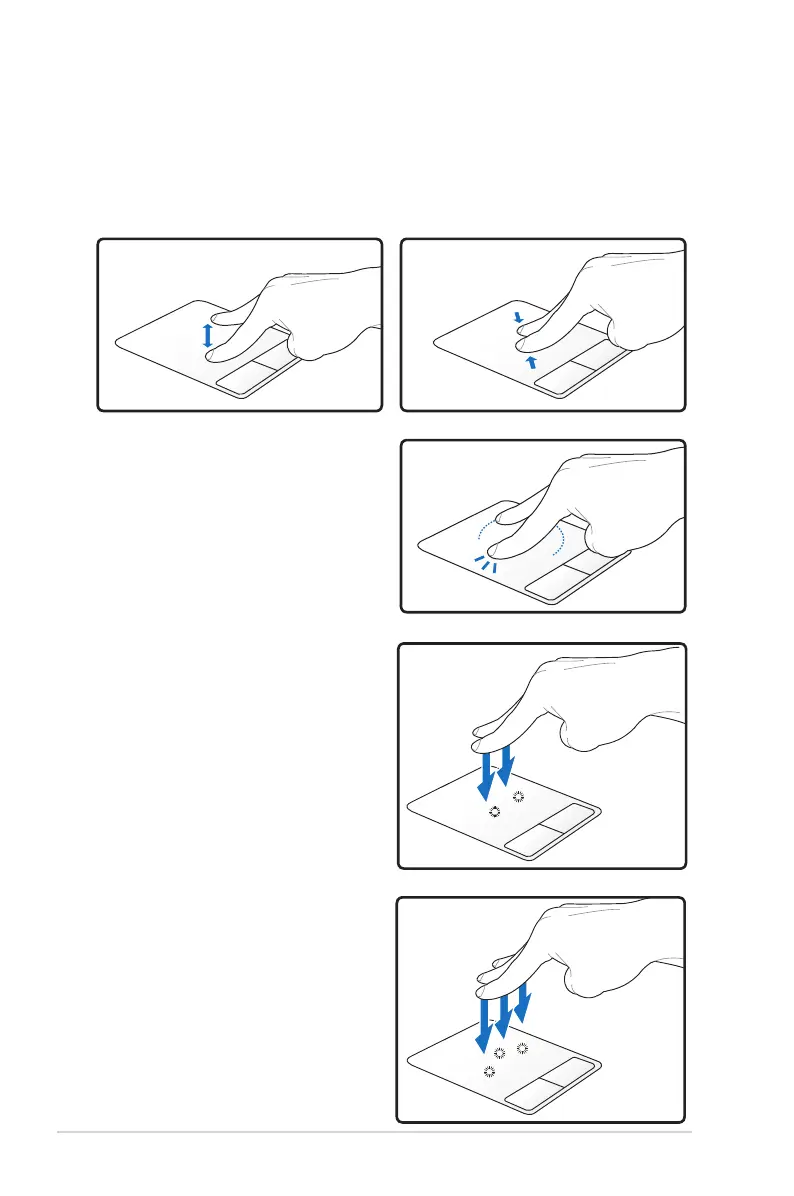
Two-finger zooming in/out - Moving two fingertips apart or
together on the touchpad to zoom in or zoom out. This is convenient
when viewing photos or reading documents.
Zooming in
Zooming out
Two-finger tapping - Use two
fingers to tap the touchpad. This
action simulates the click on the
scroll wheel of a mouse.
Three-finger tapping - Use three
fingers to tap the touchpad. This
action mimics the right-click
function of a mouse.


 To Next Page