4-9
AiGuru S2 Wireless Skype Phone
4.3 Setting up Wireless Music
Before enjoy wireless music under Windows Vista operating system, you nedd to
ocngure the playback device rst. Refer to section 2.2.3 for more information about
wireless music.
To set up wireless music:
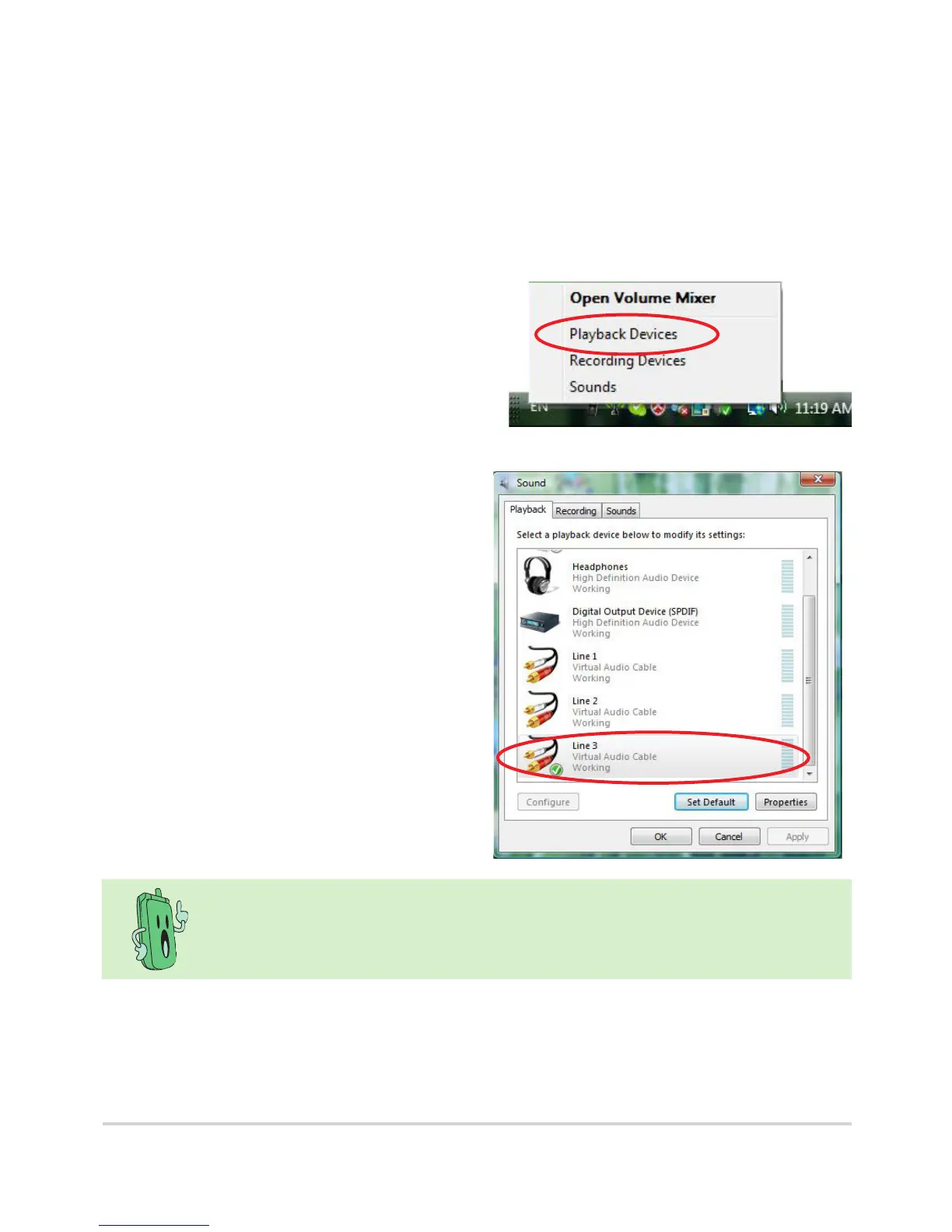
1. Right-click the speaker icon on the
OS taskbar and select Playback
Devices.
2. Click the Playback tab on the top
and highlight Line3. Click the OK
button to complete the setup.
It is a one-time setup. If you want to enjoy your music through the PC
speakers, you have to manually recongure the playback device.



 To Next Page