Super Speed
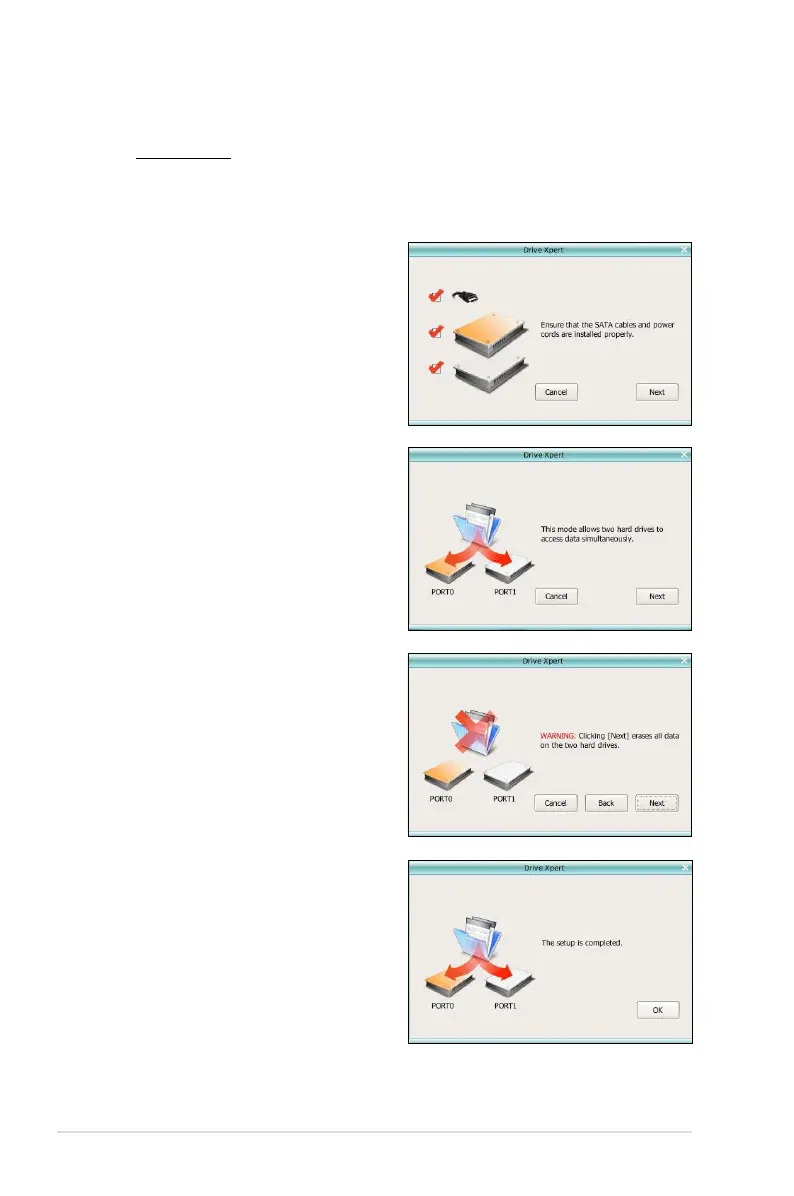
To start Super Speed conguration:
1. Click
Super Speed from the main screen.
2. Check if the SATA cables
and power cords are installed
properly. Click Next to
continue.
3. Click
Next to continue the
conguration.
4. Before proceeding, ensure to
back up all original data in the
two hard disks. Otherwise,
the system erases all data in
both hard disks. Click Next to
continue.
5. The setup is completed. Click
OK to close the conguration
window.



 To Next Page