4. After restarting your computer, the Drive Xpert
icon on the Windows
®
notication area turns
gray to indicate that the Drive Xpert function is
disabled.
Changing to Normal Mode
This mode allows you to disable the Drive Xpert function and use the two SATA
connectors as the other onboard SATA connectors.
When using one hard disk in Normal Mode, connect the hard disk to the
SATA_E1 (orange, port 0) connector on the motherboard.
To change to Normal Mode:
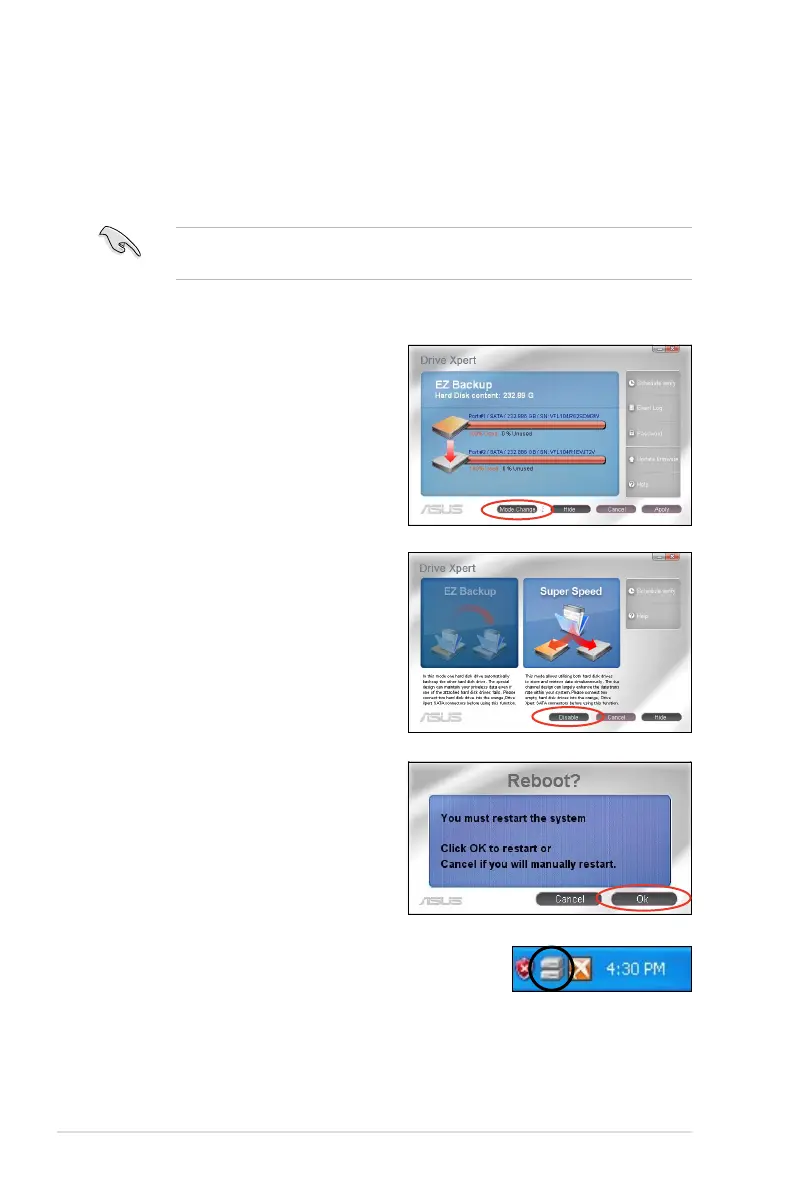
1. Click
Mode Change to return to
the main screen.
2. Click
Disable to start conguration.
3. The setup is completed. Click Ok to
restart your computer at once.



 To Next Page