Partitioning volumes
You have to partition volumes for the hard disk after Super Speed conguration.
To partition volumes:
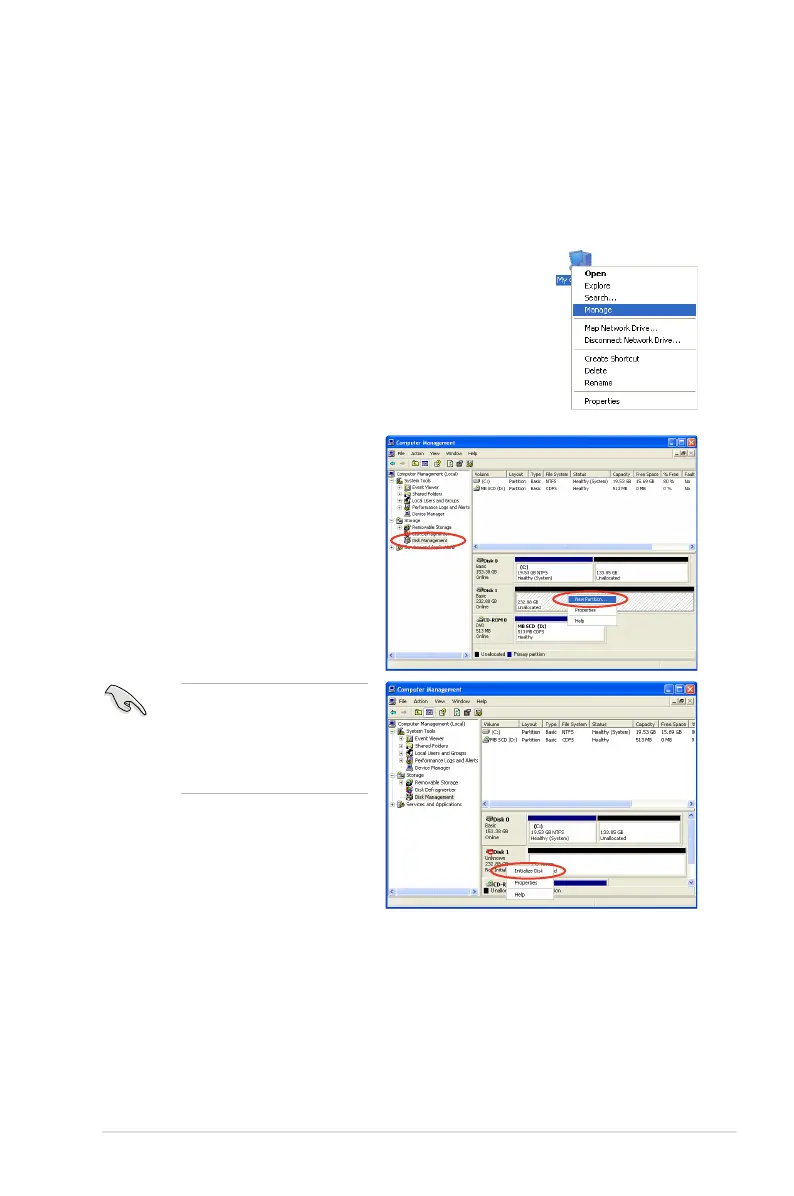
1. Right-click
My Computer on the Windows
®
desktop,
and then select Manage from the pop-up window.
2. Select Disk Management.
Right-click the unallocated
space of the disk, and then
select New Partition.
3. A
New Partition Wizard screen appears. Follow the onscreen instructions to
complete the volume partition.
If the New Partition option
is not available, right-click
Disk item, and then select
Initialize Disk to initialize
the disk rst.



 To Next Page