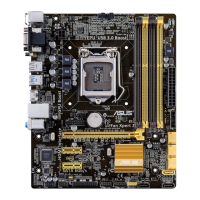
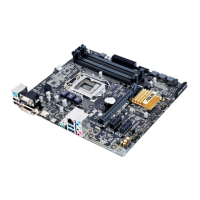
ASUS B85M-G PLUS
2-3
2.1.3 ASUS CrashFree BIOS 3 utility
TheASUSCrashFreeBIOS3isanautorecoverytoolthatallowsyoutorestoretheBIOSle
whenitfailsorgetscorruptedduringtheupdatingprocess.YoucanrestoreacorruptedBIOS
leusingthemotherboardsupportDVDoraUSBashdrivethatcontainstheupdatedBIOS
le.
Beforeusingthisutility,renametheBIOSleintheremovabledeviceinto
B85MGP.CAP.
TheBIOSleinthesupportDVDmaynotbethelatestversion.Downloadthelatest
BIOSlefromtheASUSwebsiteatwww.asus.com.
Recovering the BIOS
To recover the BIOS:
1. Turnonthesystem.
2. InsertthesupportDVDtotheopticaldriveortheUSBashdrivethatcontainsthe
BIOSletotheUSBport.
3. TheutilityautomaticallychecksthedevicesfortheBIOSle.Whenfound,theutility
readstheBIOSleandentersASUSEZFlash2utilityautomatically.
4. ThesystemrequiresyoutoenterBIOSSetuptorecoverBIOSsettings.Toensure
systemcompatibilityandstability,werecommendthatyoupress<F5>toloaddefault
BIOSvalues.
DONOTshutdownorresetthesystemwhileupdatingtheBIOS!Doingsocancause
systembootfailure!
2.1.4 ASUS BIOS Updater
ASUSBIOSUpdaterallowsyoutoupdatetheBIOSinDOSenvironment.
Thescreencapturesusedinthissectionareforreferenceonlyandmaynotbeexactlythe
sameasactuallyshownonyourcomputerscreen.
Before updating BIOS
PreparethemotherboardsupportDVDandaUSBashdrive.
DownloadthelatestBIOSleandBIOSUpdaterfromhttp://support.asus.com and
savetheminyourUSBashdrive.
NTFSisnotsupportedunderFreeDOSenvironment.EnsurethatyourUSBashdriveisin
singlepartitionandinFAT32/16format.
Turnoffthecomputer.
EnsurethatyourcomputerhasaDVDopticaldrive.


 To Next Page