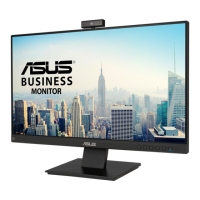
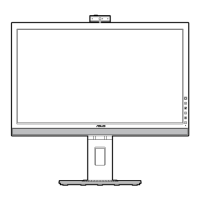
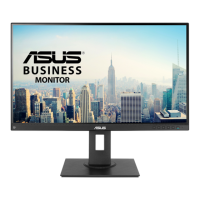
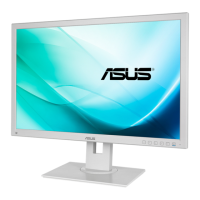
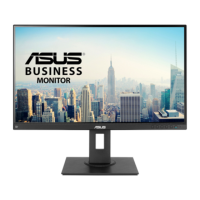
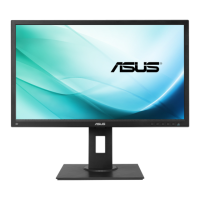
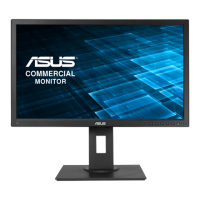
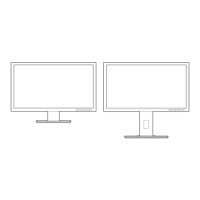
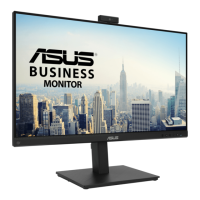
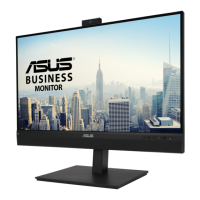
This document describes the ASUS BE209/BE229/BE239/BE249/BE24A/BE24W/BE27A Series LCD Monitor, a widescreen LCD monitor designed to provide a broad, bright, and crystal-clear display with features that enhance the viewing experience.
Function Description:
The ASUS BE Series LCD Monitor is a display device that connects to a computer or other compatible devices to show visual content. It offers various input options and adjustable settings to optimize the viewing experience for different uses, such as document editing, photo display, movies, and games. Some models include a Human Sensor for energy saving and USB charging capabilities.
Important Technical Specifications:
Panel Type: TFT LCD
Panel Size:
- BE229/BE239/BE249 simple base:
- BE229QB/BE229Q/BE229QBH/BE229QH: 21.5" (16:9, 54.6 cm) wide screen
- BE239QB/BE239Q: 23” (16:9, 58.4 cm) wide screen
- BE249QB/BE249Q: 23.8” (16:9, 60.5 cm) wide screen
- BE209/BE229/BE239/BE249/BE24A/BE24W height adjustment base:
- BE209QLB/BE209QL: 19.45" (16:10, 49.4 cm) wide screen
- BE229QLB/BE229QL/BE229QLBH: 21.5” (16:9, 54.6 cm) wide screen
- BE239QLB/BE239QL/BE239QLBR/BE239QLBH: 23" (16:9, 58.4 cm) wide screen
- BE249QLB/BE249QL/BE249QLBH: 23.8” (16:9, 60.5 cm) wide screen
- BE24AQLB/BE24AQLBH/BE24WQLB/BE24WQSB: 24" (16:10, 61.13 cm) wide screen
- BE27A: 27" (16:9, 68.47 cm) wide screen
Max. Resolution:
- BE229/BE239/BE249 simple base: 1920 x 1080
- BE209QLB/BE209QL: 1440 x 900
- BE229QLB/BE229QL/BE229QLBH: 1920 x 1080
- BE239QLB/BE239QL/BE239QLBR/BE239QLBH: 1920 x 1080
- BE249QLB/BE249QL/BE249QLBH: 1920 x 1080
- BE24AQLB/BE24AQLBH/BE24WQLB/BE24WQSB: 1920 x 1200
- BE27A: 2560 x 1440
Pixel Pitch:
- BE229QB/BE229Q/BE229QBH/BE229QH: 0.248 mm x 0.248 mm
- BE239QB/BE239Q: 0.2652 mm x 0.2652 mm
- BE249QB/BE249Q: 0.2745 mm x 0.2745 mm
- BE209QLB/BE209QL: 0.2907 mm x 0.2915 mm
- BE24AQLB/BE24AQLBH/BE24WQLB/BE24WQSB: 0.270 mm x 0.270 mm
- BE27A: 0.2331 mm x 0.2331 mm
Brightness (Typ.):
- BE229/BE239/BE249 simple base: 250 cd/m²
- BE209QLB/BE209QL/BE229QLB/BE229QL/BE229QLBH/BE239QLB/BE239QL/BE239QLBR/BE239QLBH/BE249QLB/BE249QL/BE249QLBH/BE24AQLB: 250 cd/m²
- BE24AQLBH/BE24WQLB/BE24WQSB: 300 cd/m²
- BE27A: 350 cd/m²
Contrast Ratio (Typ.): 1000:1
Contrast Ratio (Max.): 100,000,000:1 (with ASCR on)
Viewing angle (H/V) CR>10: 178°/178°
Display colors: 16.7 M
Response time: < 5 ms
- Analog input: D-sub (VGA)
- Digital input: DVI-D with HDCP, DisplayPort v1.2, HDMI (available on selected models), Mini DisplayPort (BE27A)
- Audio input: Yes (connects PC audio source)
- Earphone jack: Yes (available when HDMI/DisplayPort cable is connected)
- Speaker (Built-in): 2 W x 2 Stereo, RMS
USB Ports:
- USB 2.0 port: Upstream x 1, Downstream x 2 (for BE229QB/BE239QB/BE249QB, BE209TLB)
- USB 3.2 Gen 1 port:
- 1 x USB 3.2 Gen 1 Type-B, 2 x USB 3.2 Gen 1 Type-A (for BE229QBH, BE239QBH, BE249QBH, BE24AQLBH)
- 1 x USB 3.2 Gen 1 Type-B, 4 x USB 3.2 Gen 1 Type-A (for BE24WQLB/BE24WQSB, BE27A)
Power LED: White (On)/Amber (Standby)
AC input voltage: 100~240V
Power Consumption (Typ.):
- BE229QB/BE229Q/BE229QBH/BE229QH: < 21.09 W**
- BE239QB/BE239Q: < 22 W**
- BE249QB/BE249Q: < 22.97 W**
- BE209QLB/BE209QL: < 15.74 W**
- BE229QLB/BE229QL/BE229QLBH: < 21.09 W**
- BE239QLB/BE239QL/BE239QLBR/BE239QLBH: < 22 W**
- BE249QLB/BE249QL/BE249QLBH: < 22.97 W**
- BE24AQLB/BE24AQLBH: < 25.4 W**
- BE24WQLB/BE24WQSB: < 13.3 W**
- BE27A: < 20.3 W**
- Standby: < 0.5 W (Typ.)
- Power Off: 0 W (Switch off)
Note: **Measuring a screen brightness of 200 nits without audio/USB/Card reader connection.
Temperature (Operating): 0°C~40°C
Temperature (Non-operating): -20°C~+60°C
Usage Features:
- Splendid: Offers 7-8 preset video modes (Scenery, Standard, Theater, Night View, sRGB, Reading, Darkroom, Game Mode for BE24W/BE27A) for different viewing scenarios. Each mode has a Reset option.
- Blue Light Filter: Adjustable levels (0-4) to reduce blue light emission, helping to alleviate eye strain. Level 4 is TUV Low Blue Light Certification compliant.
- Color: Adjusts Brightness, Contrast, Saturation, Color Temp. (Cool, Normal, Warm, User Mode), and Skin Tone (Reddish, Natural, Yellowish).
- Image: Controls Sharpness, Trace Free (response time), Aspect Control (Full, 4:3, 1:1, OverScan), VividPixel (enhances picture outline), ASCR (ASUS Smart Contrast Ratio), Position (H-Position, V-Position for VGA), Focus (Phase, Clock for VGA), and Auto Adjust (for VGA).
- Sound: Adjusts Volume, Mute, and Source.
- Input Select: Allows selection of the desired video input source.
- System Setup:
- Splendid Demo Mode: Splits the screen for Splendid mode comparison.
- ECO Mode: Reduces power consumption.
- USB Charging: Enables/disables 5V/500mA (or 5V/2A or 5V/900mA for BE24WQLB/BE24WQSB) output from downstream USB ports when the monitor is on or in standby.
- OSD Setup: Adjusts OSD timeout, DDC/CI function, and OSD background transparency.
- Language: Supports 21 languages.
- Key Lock: Disables all function keys.
- Auto Source Detection: Enables/disables automatic input source detection (for BE24WQLB/BE24WQSB/BE27AQLB).
- Information: Displays monitor information.
- Power Indicator: Turns the power LED on/off.
- Human Sensor (only for BE239QLBR): Detects user presence to automatically enter/resume standby mode, with adjustable sensitivity (Low, Medium, High).
- Power Key Lock: Enables/disables the power key.
- All Reset: Restores default settings.
- Shortcut: Assigns functions to Shortcut 1 and 2 buttons (Blue Light Filter, Splendid, Brightness, Auto Adjust, Contrast, Color Temp., Volume).
QuickFit Function:
- Activates common grid patterns, paper sizes (A4, B5, Letter), and photo sizes (4x6, 3x5, 2x2, 8x10, 5x7) for efficient content organization and accurate viewing/editing.
Ergonomic Adjustments:
- Tilt: +20°~-5° (simple base), +35°~-5° (height adjustment base)
- Pivot: No (simple base), +90°~-90° (height adjustment base)
- Swivel: No (simple base), +90°~-90° (height adjustment base), +180°~-180° (only for BE24WQSB)
- Height Adjustment: No (simple base), 130 mm (height adjustment base), 150 mm (BE27A)
VESA Wall Mount: Detachable arm/base for VESA wall mount compatibility (100 x 100 mm kit sold separately).
MiniPC Kit: Attaching/Removing the MiniPC Kit (for BE209/BE229/BE239/BE249/BE24A/BE24W/BE27A height adjustment base).
Compliance and Standards: UL/cUL, CB, CE, ErP, FCC, ISO9241-307, RCM, VCCI, RoHS, Windows 7 & 8 WHQL, Energy Star®, Flicker Free, Low Blue Light, TUV-GS, TUV-Ergo, CU, PSE, WEEE, EMC DoC, UkrSEPRO, MEPS, NFPA99. Some models also comply with CCC, CEL, PC Recycle, J-MOSS, KC, KCC, e-Standby, TCO 8.0, ICE-3.
Maintenance Features:
Care & Cleaning:
- Disconnect cables and power cord before lifting or repositioning.
- Use correct lifting techniques, grasping edges, not the stand or cord.
- Turn off and unplug the monitor before cleaning.
- Clean the monitor surface with a lint-free, non-abrasive cloth.
- For stubborn stains, use a cloth dampened with mild cleaner.
- Avoid cleaners containing alcohol or acetone.
- Never spray cleaner directly on the screen.
Troubleshooting (FAQ):
- Power LED not on: Check power button, power cord, and power switch.
- Power LED amber/no screen: Check power switch, signal cable connection, computer connection, and monitor working status.
- Screen image too light/dark: Adjust Contrast and Brightness via OSD.
- Screen image not centered/sized: Adjust H-Position or V-Position via OSD.
- Screen image bounces/wave pattern: Check signal cable, monitor/computer connection, and electrical interference.
- Screen image has color defects/not look white: Inspect signal cable, perform All Reset, adjust R/G/B or Color Temperature.
- Screen image blurry/fuzzy: Adjust Phase and Clock settings via OSD.
- No sound/sound is low: Ensure HDMI/DisplayPort cable is connected, adjust volume settings, and ensure computer sound card driver is installed.
- Read documentation before setup.
- Do not expose to rain/moisture.
- Do not open the monitor cabinet due to high voltages.
- Contact qualified service technician for power supply issues.
- Ensure all cables are connected correctly and undamaged.
- Do not block ventilation slots; avoid placing near heat sources.
- Operate only from the indicated power source.
- Use appropriate power plug.
- Do not overload power strips/extension cords.
- Avoid dust, humidity, temperature extremes; place on a stable surface.
- Unplug during lightning storms or long periods of disuse.
- Do not push objects or spill liquid into slots.
- Use with UL listed computers (100-240V AC).
- Contact service technician for technical problems.
- Adjusting volume/equalizer to extreme settings may increase ear-/headphones output voltage.
- Dispose of electronic products according to local regulations (crossed out wheeled bin symbol).

 Need help?

 To Next Page
 General