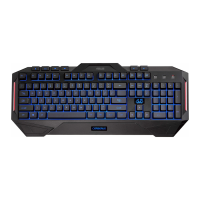
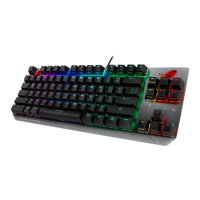
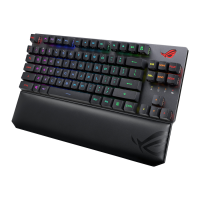
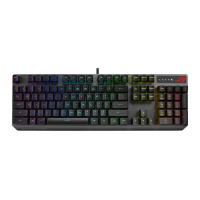
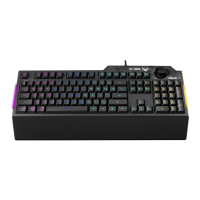
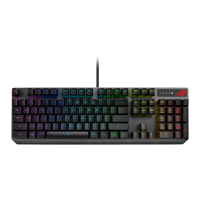
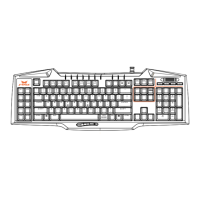
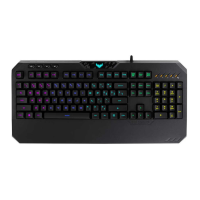
The ASUS Cerberus Multi-color Backlit Gaming Keyboard MKII is a gaming peripheral designed for an enhanced gaming experience, offering customizable backlighting, macro capabilities, and anti-ghosting features.
Function Description:
The ASUS Cerberus Gaming Keyboard MKII serves as a primary input device for computers, specifically optimized for gaming. It features a multi-color backlit design, allowing users to personalize the keyboard's aesthetics. The keyboard incorporates media player controls for convenient audio and video management, as well as dedicated function keys for quick access to various computer functions like launching the media player, adjusting volume, muting audio, controlling playback, launching mail and web browsers, locking the keyboard, and opening the calculator.
A key feature of this keyboard is its Macro mode, which enables users to configure the F1-F12 keys to launch frequently-used applications, perform key combinations, or execute repetitive tasks with a single keystroke. This is particularly useful in gaming for executing complex commands quickly. The Swap mode allows users to change the functions of certain keys, excluding media, function, and macro keys, offering further customization. The Rapid Fire mode is designed for games requiring repeated key presses, allowing users to assign a special key for rapid keystrokes.
The keyboard also includes a Windows key lock function to prevent accidental presses during gameplay, and a feature to transfer W/A/S/D keys to arrow keys, catering to different gaming preferences. The backlight is highly customizable, offering 343 color combinations, 4-level light settings, and 10-level breathing speed settings. Users can choose from pre-set colors, a color cycle, or create custom colors using the R, G, B keys.
Important Technical Specifications:
- Connector: Single USB
- Anti-Ghosting: 19KRO (Key Rollover), ensuring that up to 19 simultaneous key presses are registered accurately. The specific anti-ghosting keys include Q, A, Z, W, S, X, E, D, C, B, Space, Up Arrow, Down Arrow, Left Arrow, Right Arrow, Tab, Alt (Left), Ctrl (Left), and Shift (Left).
- Switch type: Membrane with rubber dome, providing a tactile and responsive typing experience.
- Switch life cycle: 20 million keystrokes, indicating durability and longevity.
- Backlight: Multi-colors with 343 color combinations, 4-level light settings, and 10-level breathing speed settings.
- Cable type/ cable length: 2m braided cable, offering durability and flexibility.
- Key cap material: ABS (Acrylonitrile Butadiene Styrene), a common and durable plastic for keycaps.
- Media keys: 6 dedicated media keys for volume control, play/pause, previous track, next track, and stop.
- Macro keys: 12 Macro Keys (F1-F12 keys) when Macros are enabled (Gaming Profile).
- Special feature 1: Windows key lock, Rapid fire mode, W/A/S/D arrow keys.
- Dimension: 471 x 186 x 41 mm (LxWxH).
- Weight: 1100 g.
- Operating system: Compatible with Microsoft® Windows® 10/8.x/7/XP.
Usage Features:
- Plug-and-Play Installation: Connects via USB 2.0 and automatically installs drivers.
- Media Player Controls: Dedicated keys for Stop, Play/Pause, Previous, and Next track.
- Volume Control: Dedicated keys for Volume Down and Volume Up.
- Function Key Combinations (FN key):
- [FN] + [F1]: Launch Media Player
- [FN] + [F2]: Volume down
- [FN] + [F3]: Volume up
- [FN] + [F4]: Mute
- [FN] + [F5]: Stop
- [FN] + [F6]: Previous
- [FN] + [F7]: Play/Pause
- [FN] + [F8]: Color Cycle (for backlight)
- [FN] + [F9]: Launch Mail
- [FN] + [F10]: Launch the web browser
- [FN] + [F11]: Lock the keyboard
- [FN] + [F12]: Launch the calculator
- [FN] + [Q]: Launch the Rapid fire mode (repeating keystrokes)
- [FN] + [Tab]: Transfer W / A / S / D keys to arrow keys
- [FN] + [Win]: Disable the Windows key
- Macro Mode Configuration:
- Press [FN] + [Insert] to enable macro mode (Win Lock key turns red).
- Press a function key (F1~F12) to assign the macro (Win Lock key flashes red).
- Press desired keys for the macro.
- Press [FN] + [ESC] to exit recording.
- Repeat steps 2-4 for more macros.
- Long press [FN] + [ESC] to exit macro mode (keyboard backlight flashes twice, Win Lock key LED turns off).
- Swap Mode Configuration:
- Press [FN] + [Home] to enable swap mode (Win Lock key turns red).
- Press a key (e.g., F) (Win Lock LED flashes red).
- Press another key (e.g., V) to swap functions (Win Lock LED turns solid red). Repeat for more keys.
- Press [FN] + [ESC] to disable swap mode.
- Rapid Fire Mode:
- Press [FN] + [End] to enable rapid fire mode (Win Lock key turns red).
- Press a key or keys for repeating keystroke (Win Lock LED flashes red).
- Press [FN] + [ESC] once to end.
- Press [FN] + [Q] to enable/disable Rapid Fire mode.
- Mode Switch:
- Gaming Profile (default): With 343-color backlight, Macro, Swap, and Rapid fire functions enabled.
- Normal Profile: With mint color backlight, Macro, Swap, and Rapid fire functions disabled.
- Switch profiles by pressing [FN] + [Caps Lock] (backlight flashes twice).
- Backlight Setting (Multi-color):
- [FN] + [1]~[7]: Pre-set colors (Red, Orange, Yellow, Green, Blue, Indigo, Violet).
- [FN] + [8]: Color cycle.
- [FN] + [9]: Custom color (use [R], [G], [B] keys to adjust, each with 7 levels).
- Brightness Effect:
- [FN] + [PgUp]/[PgDn]: Increase/decrease breathing light levels (4 levels available).
- Breathing Light Effect:
- [FN] + [Light Bulb Icon]: Enable/disable breathing light function.
- [FN] + [PgUp]/[PgDn]: Increase/decrease breathing light speed (10 levels available).
Maintenance Features:
- Reset Function: Restores the system to default settings. To perform a reset, press and hold [FN] + [Delete] for approximately three seconds until the Nums Lock, Caps Lock, and Win Lock LEDs flash thrice, then flash once to indicate completion.
- Function Key Reset: [FN] + [F11], [FN] + [Q], [FN] + [Tab], and [FN] + [Win] function keys will be reset to factory defaults upon disconnecting the keyboard from the USB port.
- California Proposition 65 Warning: Users are advised to wash hands after handling the product due to potential exposure to chemicals known to cause cancer, birth defects, or other reproductive harm.

 Need help?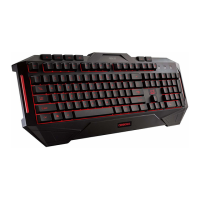

 To Next Page
 General