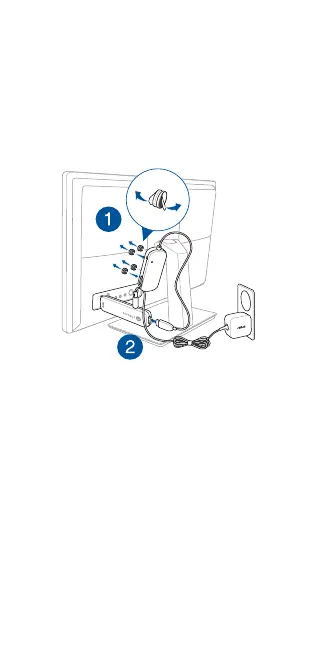
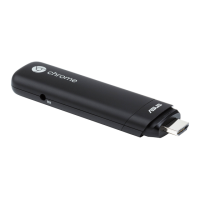
1. StickyourUSBHubtoyourmonitorwiththehook
andloopstickerset,thenconnectyourUSBHubinto
yourChromebit.
F: CollezlehubUSBàvotremoniteuràl’aidedukit
autocollant,puisconnectezlehubUSBàChromebit.
G: KlebenSieIhrUSB-HubmitdemKlettverschlussan
denMonitor,verbindenSiedannIhrUSB-Hubmit
IhremChromebit.
I: Fissate il vostro hub USB alimentato al vostro
monitor, usando il set di adesivi per il montaggio,
quindicollegateilvostrohubUSBalChromebit.
DU: PlakuwUSB-hubaanuwmonitormetdehaak-en
lusstickerset en sluit dan uw USB-hub aan op uw
Chromebit.
S: Acople el concentrador USB al monitor con el juego
del gancho y de la pegatina y, a continuación,
conectedichoconcentradorasuChromebit.
Connecting USB Hub
F: Connecter le hub USB
G: USB-Hub anschließen
I: Collegamento di un hub USB
DU: De USB-hub aansluiten
S: Conectar el concentrador USB


 To Next Page