Notebook PC E-Manual
19
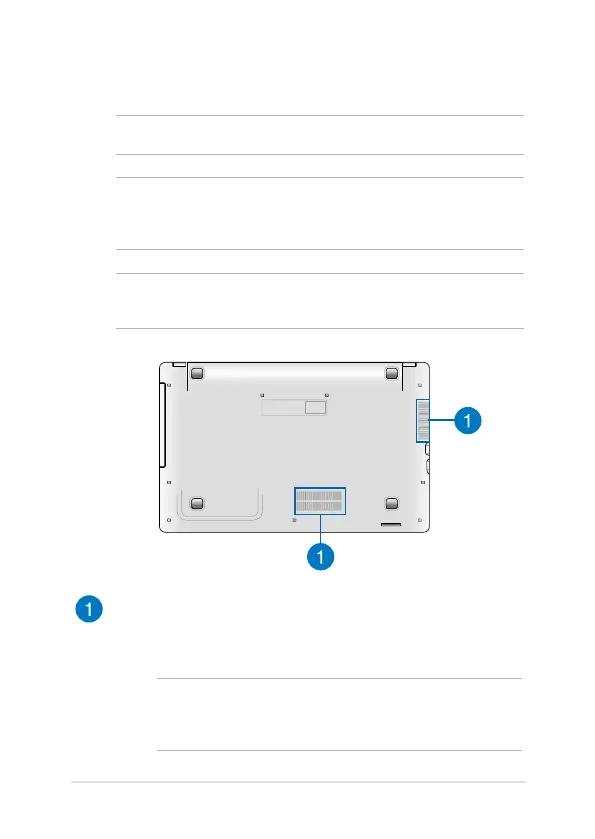
Bottom
NOTE: The bottom side may vary in appearance depending on model.
WARNING! The bottom of the Notebook PC can get warm to hot while in
use or while charging the battery pack. When working on your Notebook
PC, do not place it on surfaces that can block the vents.
IMPORTANT! Battery time varies by usage and by the specications for
this Notebook PC. The battery pack cannot be disassembled.
Air vents
The air vents allow cool air to enter and warm air to exit the
Notebook PC.
WARNING! Ensure that paper, books, clothing, cables, or other
objects do not block any of the air vents or else overheating may
occur.





 To Next Page