33
Getting Started 3
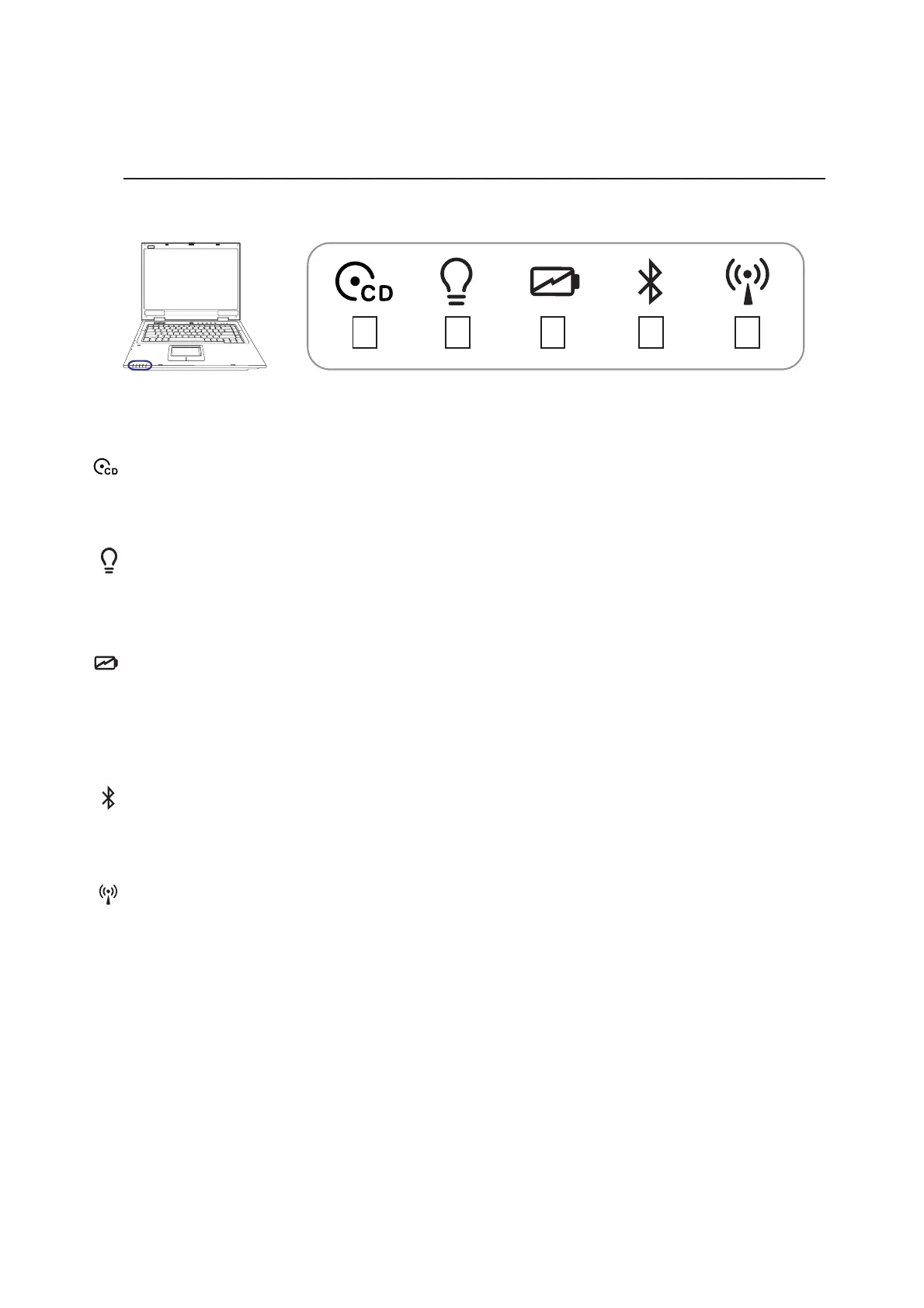
Status Indicators (front edge-visible when closed)
Power Indicator
The green LED lights to indicate that the Notebook PC is turned ON and blink when the Notebook PC
is in the Suspend-to-RAM (Standby) mode. This LED is OFF when the Notebook PC is OFF or in the
Suspend-to-Disk (Hibernation) mode.
Wireless LAN Indicator (Optional)
This indicator is only applicable on models with internal wireless LAN. When the internal wireless LAN
is enabled, this indicator will light. (Windows software settings are necessary to use the wireless LAN.)
Battery Charge Indicator
The battery charge indicator is an LED that shows the status of the battery’s power as follows:
ON: The Notebook PC’s battery is charging
Off: The Notebook PC’s battery is charged or completely drained
CD Player Power Indicator (front side)
While the Notebook PC is OFF: This LED lights when the CD player is turned ON (by using the “CD
Power Switch”).
Bluetooth Indicator
The Bluetooth indicator will light to show that the Notebook PC’s built-in Bluetooth function is acti-
vated through the Bluetooth instant key.



 To Next Page