35
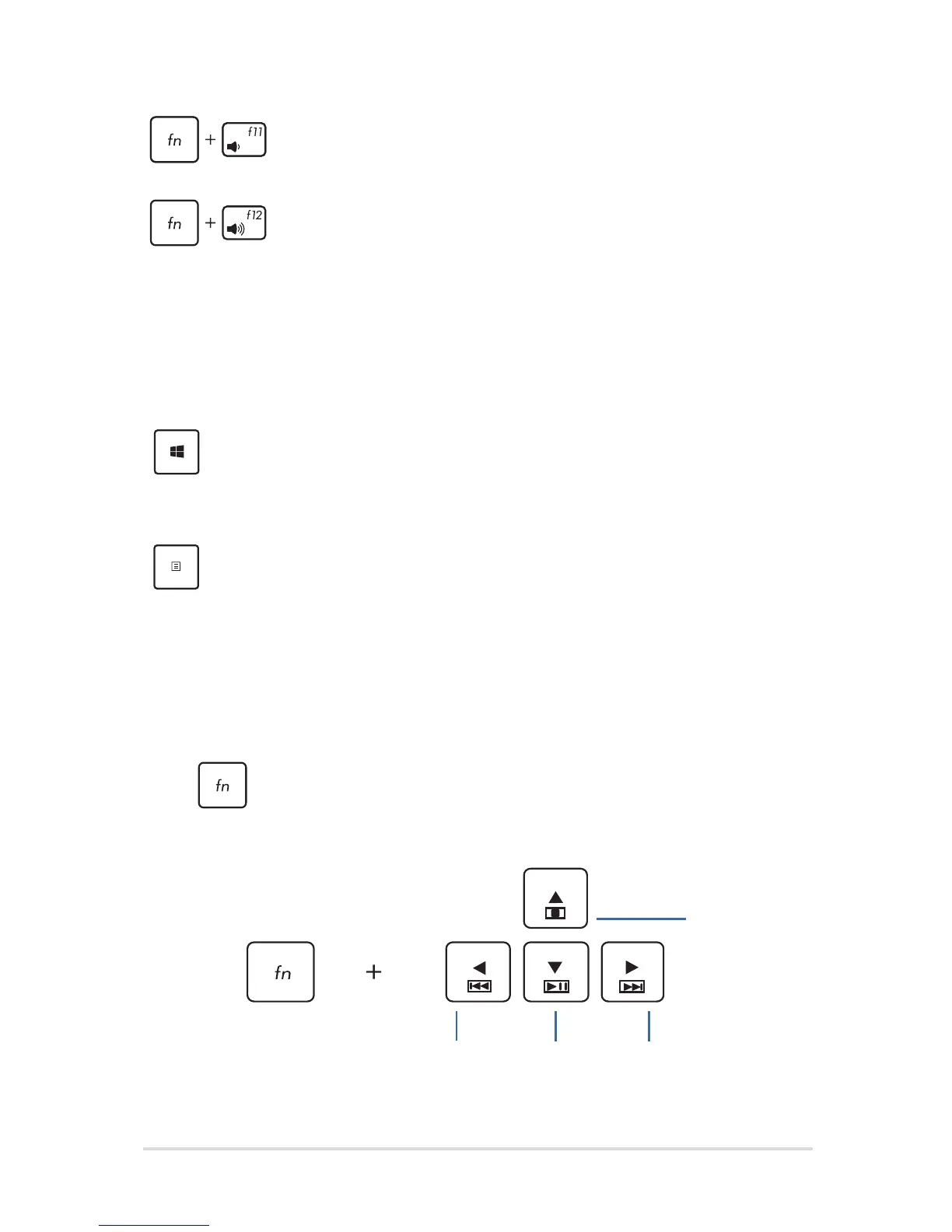
Turns the speaker volume down
Turns the speaker volume up
Windows® 8.1 keys
There are two special Windows® keys on your Notebook PC’s keyboard
used as below:
Press this key to go back to the Start screen. If you are
already in the Start screen, press this key to go back to
the last app you opened.
Press this key to simulate the right-click functions.
Multimedia control keys
The multimedia control keys allow you to control multimedia les, such
as audios and videos, when played in your Notebook PC.
Press in combination with the arrow keys on your Notebook PC,
illustrated as below.
Stop
Play or
pause
Skip to previous
track or rewind
Skip to next track or
fast forward



 To Next Page