F. (optional) If an HDD is currently attached to the HDD bay, refer to
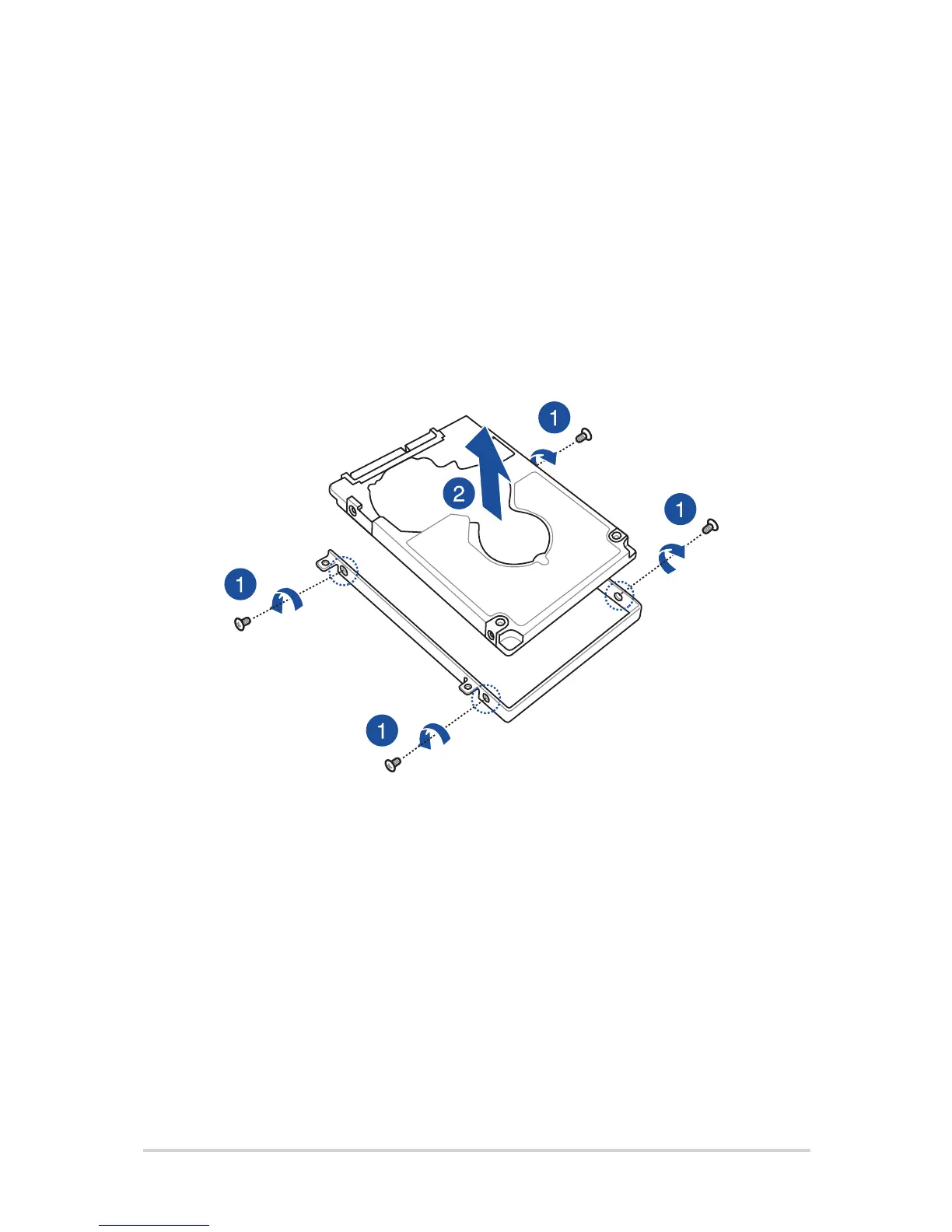
to the following steps on how to remove the old HDD:
1. Remove all the screws on the sides of the HDD bay.
2. Remove the old HDD from the HDD bay then place it on a
at dry surface with its PCB (printed circuit board) facing up,
as shown in the illustration below.


 To Next Page
 Loading...