Notebook PC E-Manual
91
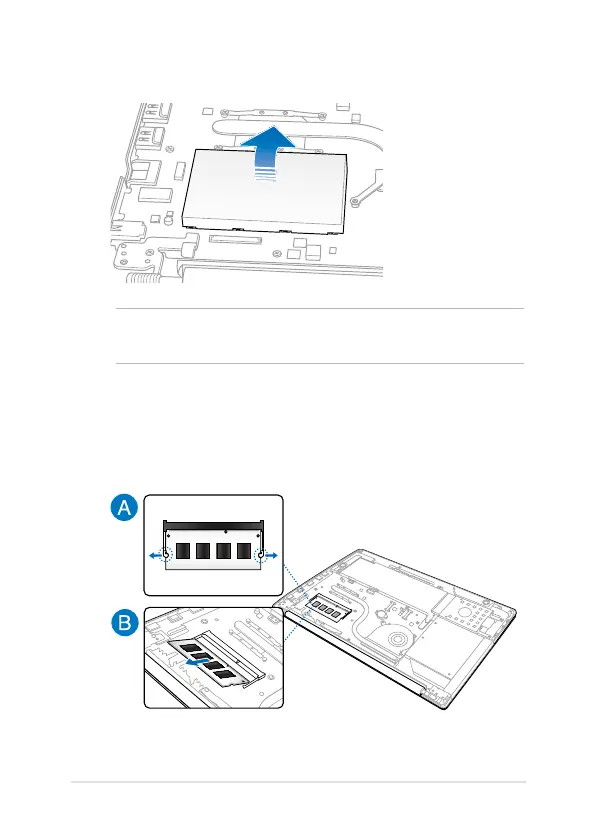
5. Remove the DIMM metal shield.
6. Gently pull apart the clips that hold the DIMM in place (A) then
pull the memory module to remove it from the slot (B).
IMPORTANT! If your Notebook PC comes with an installed DIMM, proceed
to step 6. Otherwise, you may proceed to step 7.



 To Next Page