4. Touch any metal part of the Notebook PC to discharge yourself of
static electricity.
1. Shut down your Notebook PC and disconnect all cables and other
peripherals.
2. Put your Notebook PC on a at, clean and stable surface.
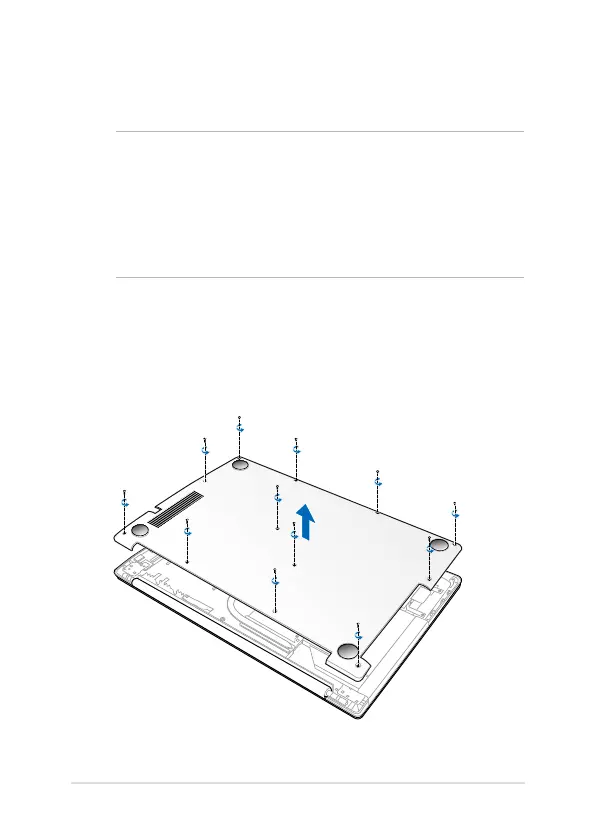
3. Unscrew and remove the back cover.
IMPORTANT!
• The memory module upgrade option is for selected models
only.
• Before you upgrade your notebook memory module (DIMM),Before you upgrade your notebook memory module (DIMM),
please contact your retailer or a certied ASUS Service Center
nearest you..
Upgrading memory modules



 To Next Page