7
English
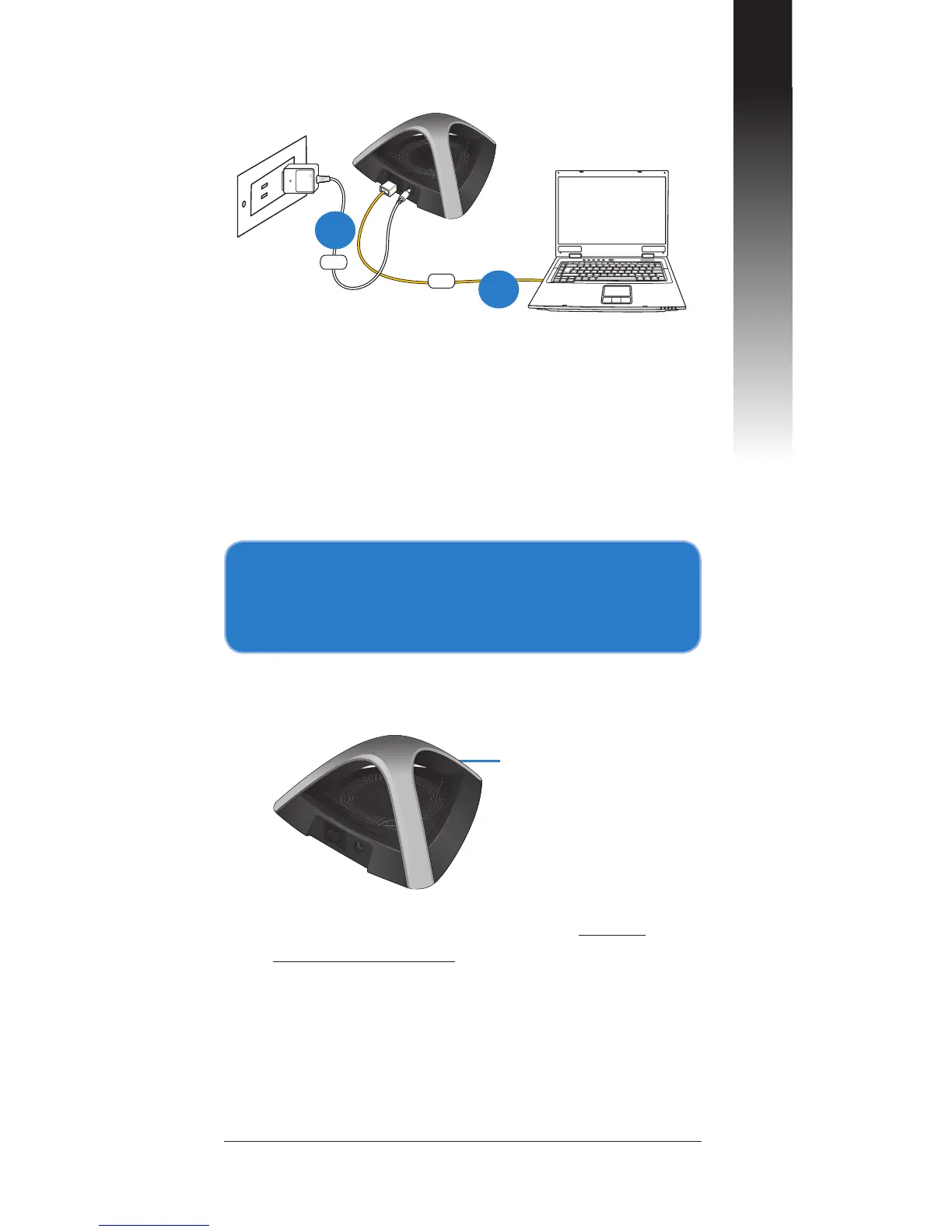
B. Connecting via a network cable
a: Insert your EA-N66’s AC adapter to
the DC-In port and plug it to a power
outlet.
b: Using the bundled network cable,
connect your computer to your
EA-N66’s LAN port.
a
b
2. Log into the EA-N66's web
graphics user interface (web
GUI).
a: Ensure that the wireless LED is
blinking.
Wireless LED
b: In your web browser, key in www.
asusrouter.com. Key in admin as the
default username and password.
c: From the web GUI, select the
operation mode and congure its
settings for your wireless network
setup.


 To Next Page