Chapter 1: Knowing the Parts
1-6
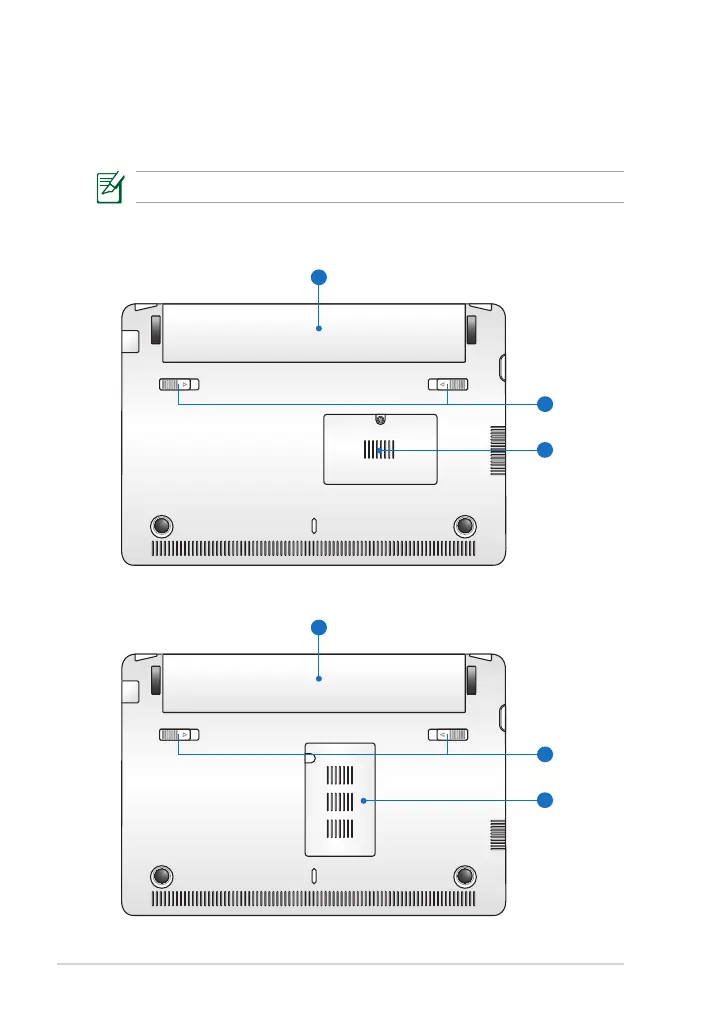
Bottom Side
Refer to the diagram below to identify the components on this side of the
Eee PC.
The bottom side may vary in appearance depending on model.
Eee PC 1015P / 1015PE / 1015PED / 1015PD / 1015PEM / 1015PW /
1015PX / 1011PX / R011PX / R051PX / R051PEM
Eee PC 1015PN / 1015T / 1015B













 To Next Page