ASUS Eee PC
1-15
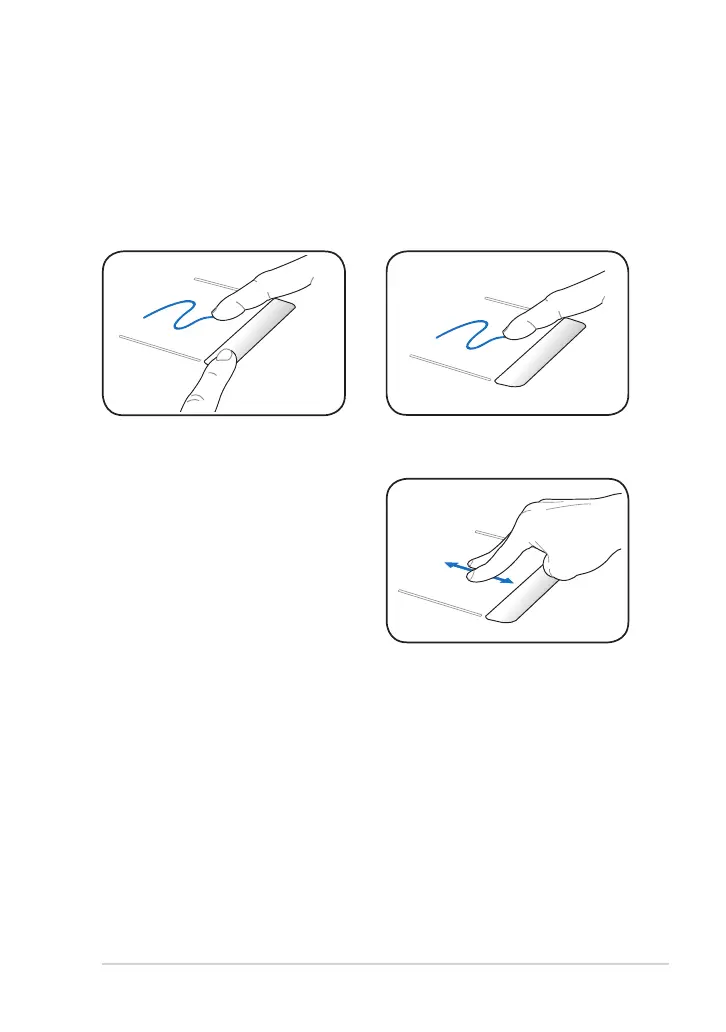
Dragging - Dragging means to pick up an item and place it anywhere on
the screen you wish. You can move the pointer over the item you select,
and while keeping the left button depressed, moving the pointer to the
desired location, then release the button. Or, you can simply double-tap
on the item and hold while dragging the item with your fingertip. The
following illustrations produce the same results.
Scrolling - Use two fingertips to slide
up/down on the touchpad to scroll
a window up/down. If your display
window includes several sub-windows,
move the pointer on that pane before
scrolling.













 To Next Page