Chapter 1: Installing & Optimizing Windows® XP
1-9
IE Temporary Internet Files
1. Prepare an external storage device such as an SD card or a USB
flash disk drive.
2. Launch Internet Explorer.
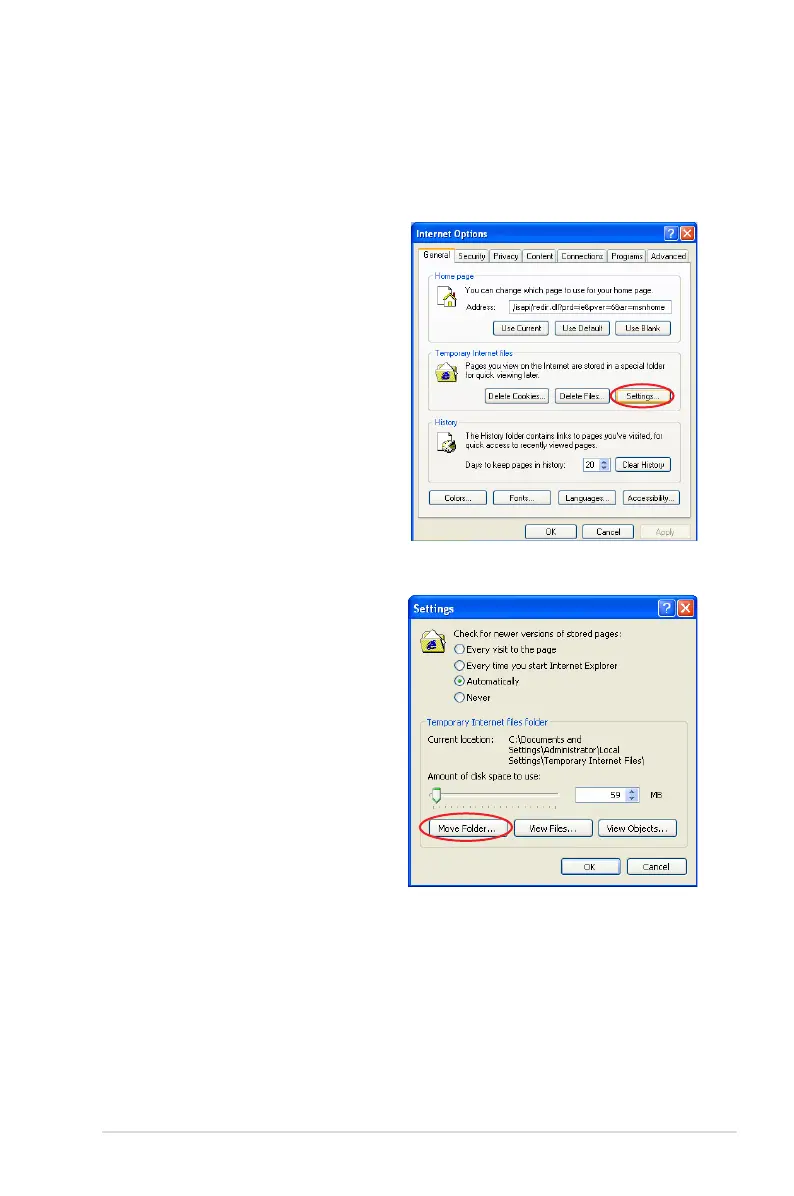
2. Click Tools on the top and
select Internet Options.
3. Click Settings in Temporary
Internet files area.
4. Click Move Folders and
select a destination in the
connected external storage
device.
5. Click OK to relocate
Temporary Internet Files.



 To Next Page