1-8
ASUS Eee PC Windows® XP Installation Guide
Relocating Files
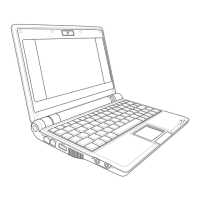
My Documents
1. Prepare an external storage device such as an SD card or a USB
flash disk drive.
2. Click Start, right-click My
Documents and select
Properties.
2. Click Move and select a
destination in the connected
external storage device.
3. Click OK to relocate My
Documents.
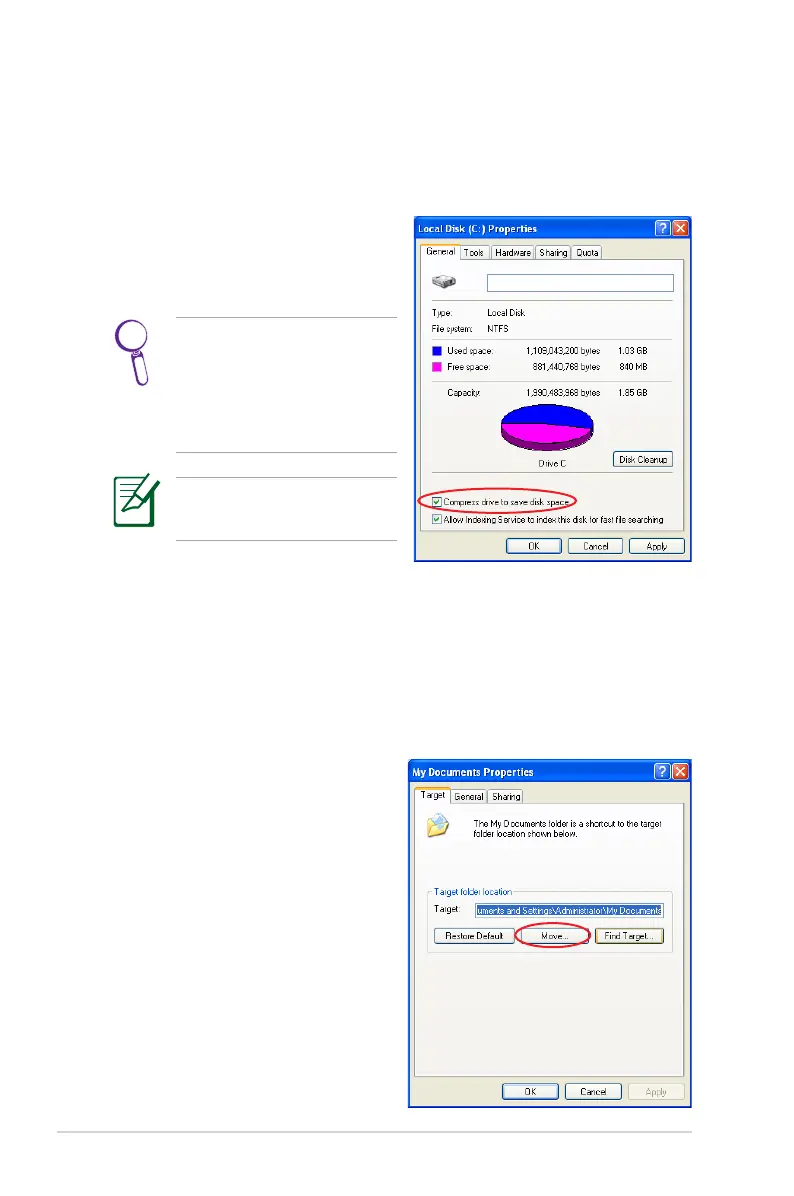
Compressing Disk Drive
1. Go to Control Panel > My Computer.
2. Right-click Local Disk (C:) and select Properties.
3. Check the box before
Compress drive to save disk
space.
This compression function
cannot apply to read-only
files. Select Skip to All to
skip the incompressible
files and continue.
The disk drive space varies
depending on model.



 To Next Page