ASUS Eee PC
4-15
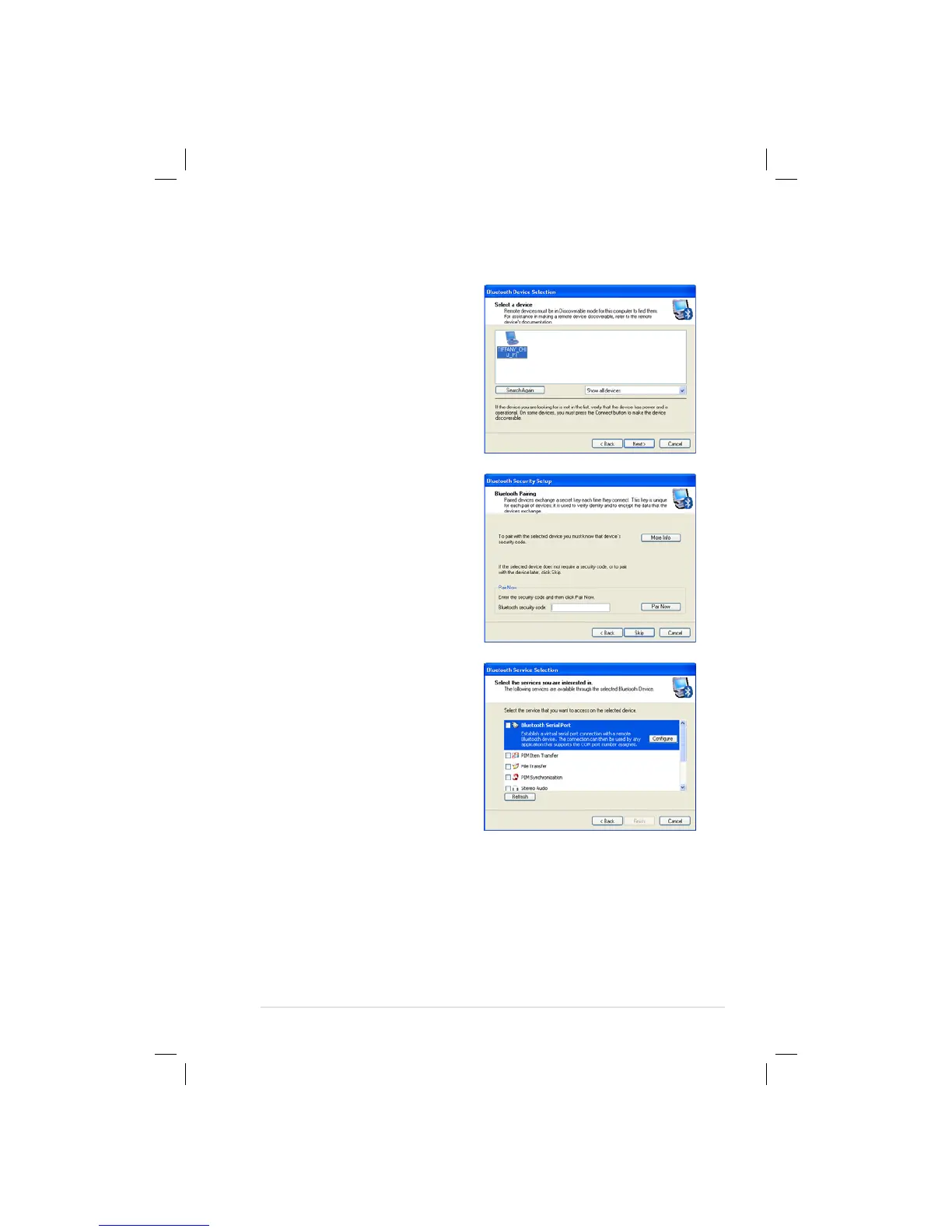
5. Select a desired device and
click Next to continue.
6. Enter the Bluetooth security
code and click Pair Now to
start pairing.
7. After the paired relationship
is built, select the service you
are interested in from the list
and click Finish to use the
selected service.















 To Next Page