4-14
Chapter 4: Using the Eee PC
Bluetooth Connection
Bluetooth technology eliminates the need for cables for connecting
Bluetooth-enabled devices. Examples of Bluetooth-enabled devices
may be Notebook PCs, Desktop PCs, mobile phones, and PDAs.
To connect to a Bluetooth-enabled device
1. Press <Fn> + <F2> repeatedly until Bluetooth ON or WLAN &
Bluetooth ON is shown.
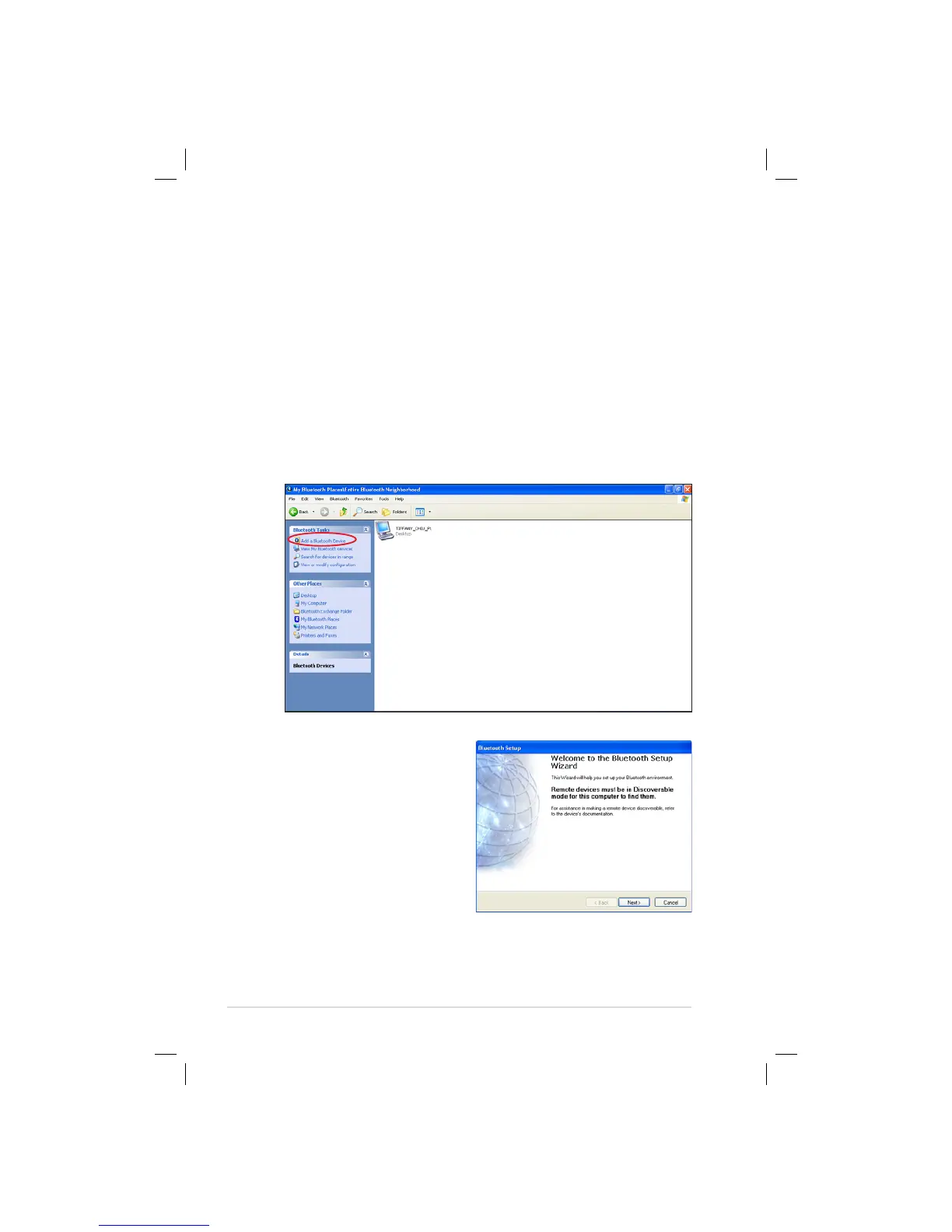
2. Click My Bluetooth Places on the desktop to search for the
nearby devices.
3. Click Add a Bluetooth Device.
4. Click Next to continue.















 To Next Page