Notebook PC E-Manual
21
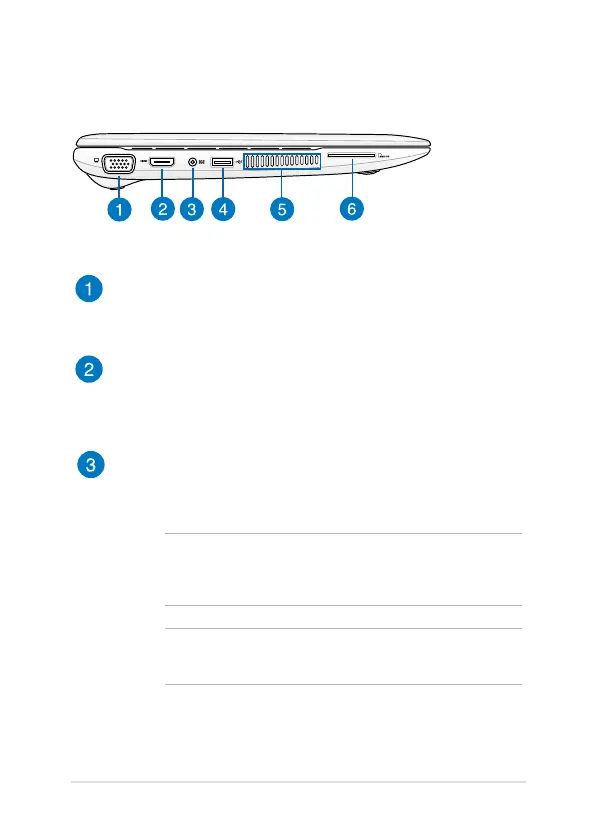
Left Side
VGA port
This port allows you to connect your Notebook PC to a standard
VGA-compatible device, such as monitors or projectors.
HDMI port
This port is for the HDMI (High-Denition Multimedia Interface)
connector and is HDCP compliant for HD DVD, Blu-ray, and
other protected content playback.
Power (DC) input port
Insert the bundled power adapter into this port to charge the
battery pack and supply power to your Notebook PC.
WARNING! The adapter may become warm to hot while in use.
Do not cover the adapter and keep it away from your body while
it is connected to a power source.
IMPORTANT! Use only the bundled power adapter to charge
the battery pack and supply power to your Notebook PC.


 To Next Page