Bluetooth
Use Bluetooth to facilitate wireless data transfers with other Bluetooth-
enabled devices.
IMPORTANT! The Airplane mode disables this feature. Ensure that
Airplane mode is turned o before enabling the Bluetooth connection of
your Notebook PC.
Pairing with other Bluetooth-enabled devices
You need to pair your Notebook PC with other Bluetooth-enabled
devices to enable data transfers. To do this, use your touchpad as
follows:
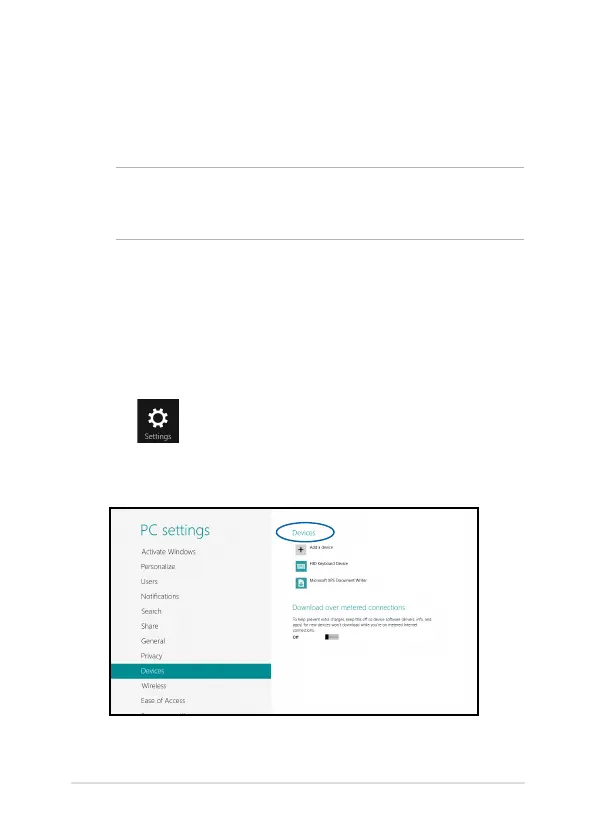
1. Launch the Charms bar.
2. Tap then tap Change PC Settings.
3. Under PC Settings, select Devices then tap Add a Device to
search for Bluetooth-enabled devices.


 To Next Page