32
Notebook PC E-Manual
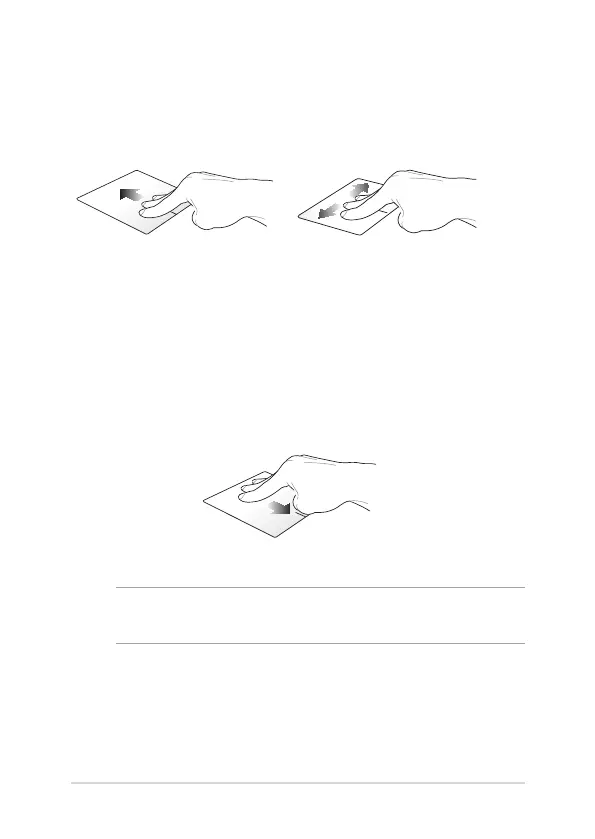
Three-nger gestures
Swipe up Swipe left/right
Swipe three ngers upward to
show all running applications.
Swipe three ngers left or right
to show running apps in Desktop
mode or Start screen.
Swipe down
Swipe three ngers downward to show the Desktop mode.
NOTE: Ensure to enable the three-nger gestures in your Notebook PC .
For more information, refer to the section ASUS Smart Gesture.


 To Next Page