52
Notebook PC E-Manual
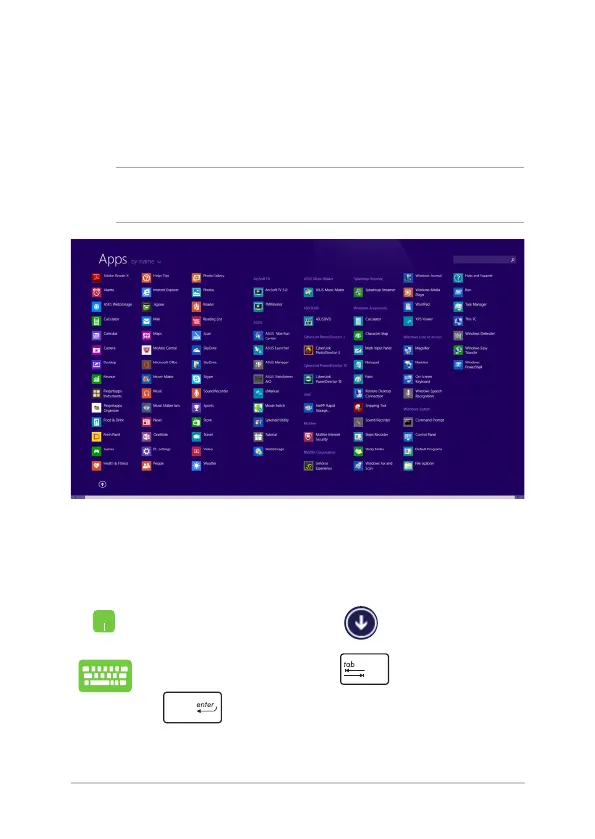
Accessing the Apps screen
Aside from the apps already pinned on your Start screen, you can also
open other applications through the Apps screen.
NOTE: Actual apps shown onscreen may vary per model. The following
screenshot is for reference only.
Launching the Apps screen
Launch the Apps screen using your Notebook PC's touchpad or
keyboard.
On the Start screen, click the button.
From the Start screen, Press then press
.


 To Next Page