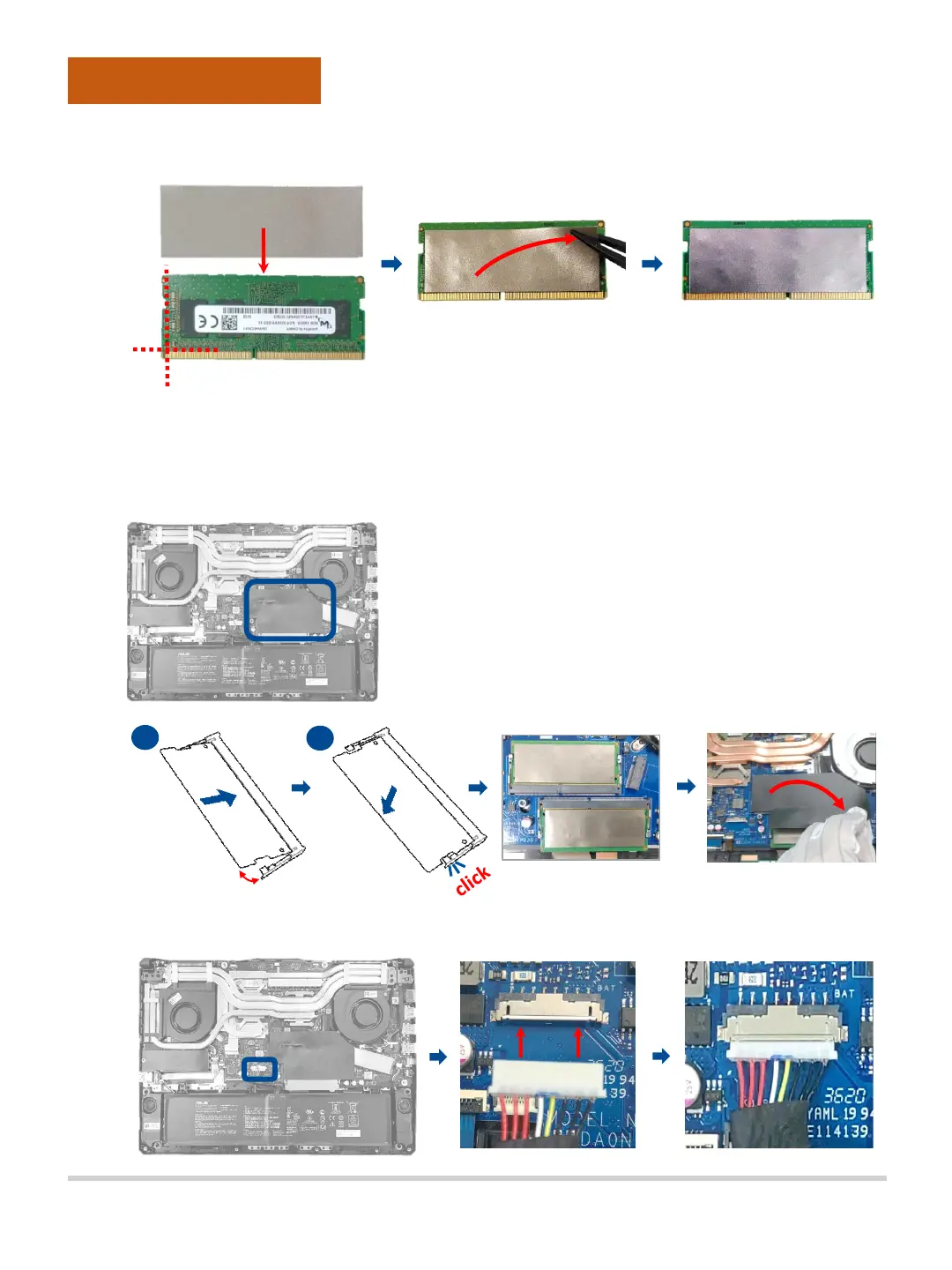
E. Paste the ABSORBERS on the front and back side of DDR, before
assembling it.
F. Align and insert the new RAM module at 30° into the memory slot.
G. Once properly inserted, push down the RAM module until it clicks in place,
then paste the mylar.
Assembly Notice
Customer Self Repair Guide12
H. Please follow the below steps to attach the battery connector.
30°
F
G



 To Next Page