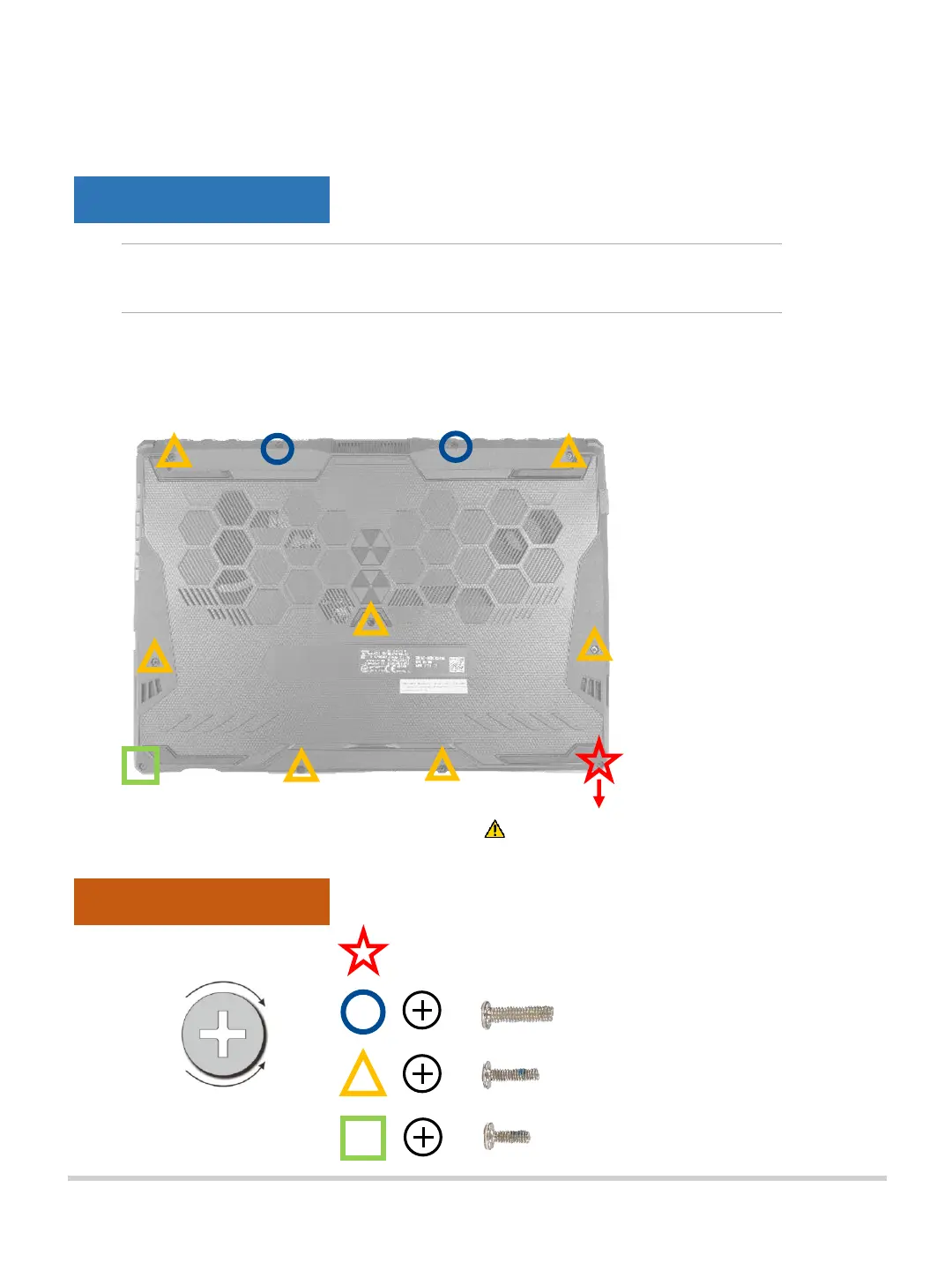
A. Loosen the screws from the Notebook PC base cover. Screws indicated
with red star is unable to be removed from the cover. Please leave them
on the base cover when removing the cover from the chassis.
Removing the base cover
NOTE : The appearance of your Notebook PC’s bottom view may
vary per model.
Customer Self Repair Guide6
Disassembly Notice
Assembly Notice
Please loosen the pop-open screw last,
it cannot be removed from cover.
Lefty - Loosey
Righty - Tighty
#1
#1
#1
Please tighten the pop-open screw first.


 To Next Page