Notebook PC E-Manual
87
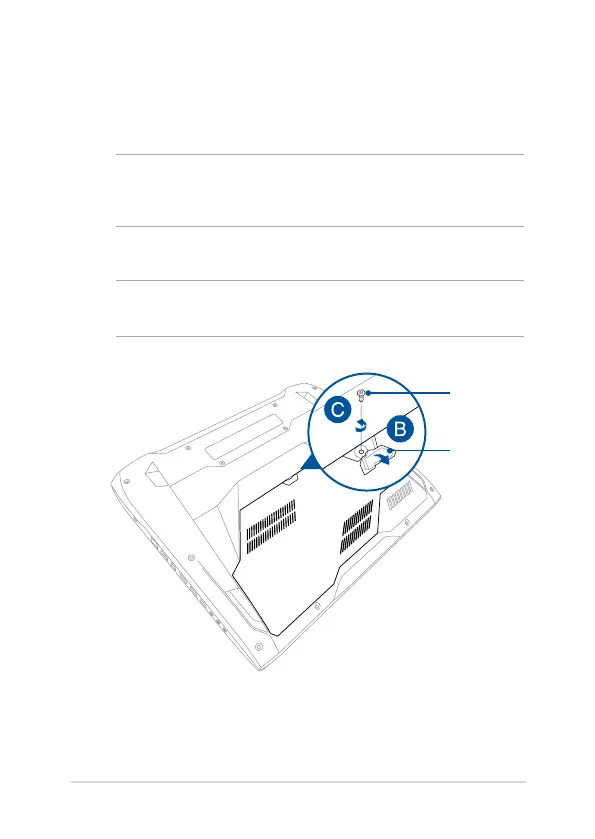
A. Place the Notebook PC on a clean, at, and stable surface.
B. Pull the rubber cover to expose the screw of the compartment
cover.
IMPORTANT! The rubber cover is designed to be attached to the
Notebook PC’s compartment cover. DO NOT force to detach it or
completely remove it from the compartment cover.
C. Loosen the screw of the compartment cover.
IMPORTANT! The screw is designed to be attached to the Notebook PC’s
compartment cover. DO NOT force to remove it.
rubber cover
screw


 To Next Page