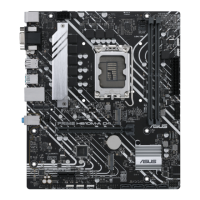
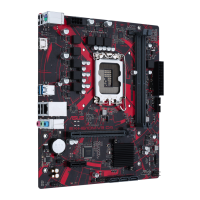
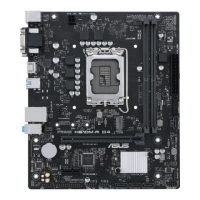
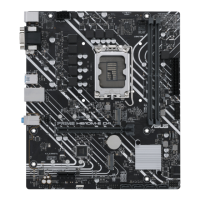
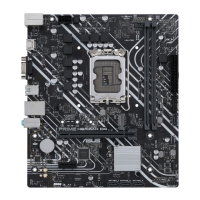
ASUS H61-PLUS
2-13
2.4.1 Memory Frequency [Auto]
Allows you to set the memory operating frequency. Conguration options (Ivy Bridge CPU):
[Auto] [DDR3-800MHz] [DDR3-1066MHz] [DDR3-1333MHz] [DDR3-1400MHz] [DDR3-
1600MHz] [DDR3-1800MHz] [DDR3-1866MHz] [DDR3-2000MHz] [DDR3-2133MHz] [DDR3-
2200MHz] [DDR3-2400MHz] [DDR3-2600MHz] [DDR3-2666MHz] [DDR3-2800MHz]
Conguration options (Sandy Bridge CPU): [Auto] [DDR3-800MHz] [DDR3-1066MHz] [DDR3-
1333MHz] [DDR3-1600MHz] [DDR3-1866MHz] [DDR3-2133MHz] [DDR3-2400MHz]
The conguration options vary with the CPU types installed on the system.
Selecting a very high memory frequency may cause the system to become unstable! If this
happens, revert to the default setting.
2.4.2 EPU Power Saving Mode [Disabled]
Allows you to enable or disable the EPU power saving function. Conguration options:
[Disabled] [Enabled]
EPU Setting [Auto]
This item appears only when you set the EPU Power Saving Mode item to [Enabled] and
allows you to select the EPU power saving mode. Conguration options: [Auto] [Light Power
Saving Mode] [Medium Power Saving Mode] [Max Power Saving Mode]
2.4.3 DRAM Timing Control
The sub-items in this menu allow you to set the DRAM timing control features. Use the <+>
and <-> keys to adjust the value. To restore the default setting, type [auto] using the keyboard
and press <Enter>.
Changing the values in this menu may cause the system to become unstable! If this
happens, revert to the default settings.
2.4.4 CPU Power Management
The sub-items in this menu allow you to set the CPU ratio and features.
CPU Ratio [Auto]
Allows you to manually adjust the maximum non-turbo CPU ratio. Use <+> and <-> keys or
the numeric keypad to adjust the value. The valid value ranges vary according to your CPU
model.
Enhanced Intel SpeedStep Technology [Enabled]
Allows you to enable or disable the Enhanced Intel
®
SpeedStep Technology (EIST).
[Disabled] Disables this function.
[Enabled] The operating system dynamically adjusts the processor voltage and
core frequency which may result in decreased average consumption and
decreased average heat production.


 To Next Page