ASUS Tablet
6
Charging your ASUS Tablet
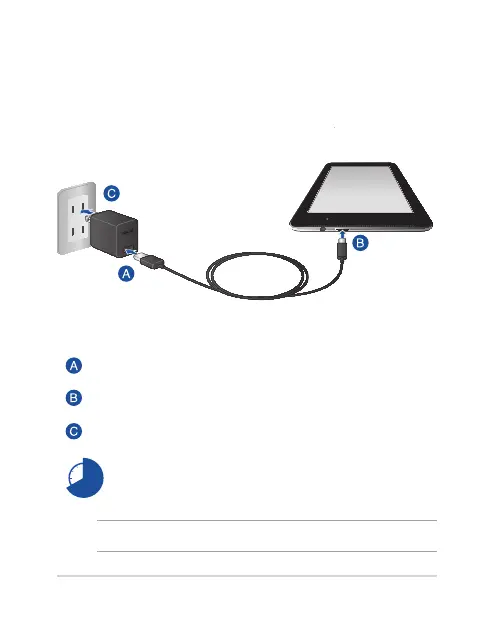
Using the power adapter and micro USB cable
To charge your ASUS Tablet:
Connect the micro USB cable to the power adapter.
Plug the micro USB connector into your ASUS Tablet.
Plug the power adapter into a grounded power outlet.
Charge your ASUS Tablet for eight (8) hours before
using it in battery mode for the rst time.
NOTE: The output voltage of this adapter is DC 5.2 V, 1.35 A, 7 W.
E9295_ME70C_User_Guide.indd 6 2014/5/12 �� 10:37:34



 To Next Page