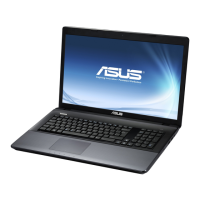
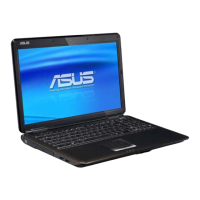
Need help?
Do you have a question about the Asus K61IC and is the answer not in the manual?
Quick instructions for installing the notebook PC's battery pack.
Quick instructions for connecting the notebook PC's power adapter.
Identifies and describes ports and connectors on the right side of the notebook.
Identifies and describes ports and connectors on the left side of the notebook.
Identifies and describes ports and connectors on the rear side of the notebook.
Identifies and describes ports and features on the front side of the notebook.
Steps to restore notebook software using the recovery partition.
Instructions for creating and using a recovery DVD for system restoration.
FCC compliance statement regarding radio frequency interference.
Statement on FCC RF exposure limits and compliance for the device.
Warning related to CE marking and potential radio interference.
IC compliance statement regarding RF exposure limits for Canada.
Information on wireless operation channels and frequency bands for various regions.
Details on restricted wireless frequency bands and power limits in France.
This document is a user manual for a notebook PC, providing instructions and safety information for its operation and maintenance. It covers various aspects of the device, from initial setup to recovery procedures and safety declarations.
The notebook PC is a portable computing device designed for various tasks, including data processing, multimedia playback, and internet connectivity. It features an LCD display panel, a touchpad for navigation, and a range of ports for connecting external devices. The device is powered by an AC adapter and an internal battery pack, allowing for both stationary and mobile use. It includes an optical drive for reading and writing compact discs and digital video discs, and a flash memory slot for accessing various memory cards. Audio output is provided through built-in stereo speakers and a headphone jack, while a microphone input jack allows for audio recording and video conferencing. Network connectivity is supported via a LAN port and, on selected models, wireless LAN capabilities. The notebook PC runs on an operating system that can be restored to its factory state using a dedicated recovery partition or recovery DVDs.
Initial Setup: To begin using the notebook PC, users must first install the battery pack by sliding it into the battery compartment until it clicks into place. The device can then be connected to a power source using the supplied AC adapter. The LCD display panel can be opened by carefully lifting it with a thumb and tilting it to a comfortable viewing angle. The notebook PC is turned on by pressing the power button located beneath the LCD display panel. Display brightness can be adjusted using specific function key combinations ([Fn]+[F5] or [Fn]+[F6]).
Touchpad Navigation: The touchpad serves as the primary pointing device. Users can move the pointer by sliding a finger across the touchpad. The left and right buttons function like a standard mouse. Two-fingertip gestures allow for scrolling a window up/down/left/right. A three-finger tap on the touchpad mimics the right-click function of a mouse. The touchpad's behavior can be customized through the Windows Control Panel.
Connectivity: The right side of the notebook PC features a headphone output jack for connecting amplified speakers or headphones, and a microphone input jack for external microphones or audio devices. It also includes USB 2.0/1.1 ports for connecting various peripherals like keyboards, pointing devices, cameras, hard disk drives, printers, and scanners. A 15-pin D-sub monitor port allows connection to an external monitor or projector. A LAN port (RJ-45) provides wired network connectivity. The DC input jack is used to connect the power adapter for charging the battery and powering the device.
The left side of the notebook PC includes additional USB 2.0/1.1 ports and a flash memory slot that supports various memory cards from devices such as digital cameras, MP3 players, mobile phones, and PDAs.
The rear side of the notebook PC may include an HDMI port on selected models, which provides an uncompressed all-digital audio/video interface for connecting to digital televisions or other A/V monitors. Kensington® lock ports are also available for securing the notebook PC with compatible security products. Air vents are strategically placed to ensure proper cooling and prevent overheating.
Optical Drive: The notebook PC is equipped with an optical drive that supports compact discs (CDs) and/or digital video discs (DVDs), with some models offering recordable (R) or re-writable (RW) capabilities. An emergency eject mechanism is available to open the optical drive tray if the electronic eject function fails.
Audio Features: The built-in stereo speaker system provides audio output. The integrated digital audio controller produces rich, vibrant sound, which can be further enhanced with external stereo headphones or speakers. Audio features are software-controlled.
System Recovery: The notebook PC includes a recovery partition on its hard disk drive, which allows users to restore the operating system, drivers, and utilities to their original factory state. Before initiating recovery, users are advised to back up their data. The recovery process can be accessed by pressing [F9] during bootup, selecting "Windows Setup [EMS Enabled]," and following the on-screen instructions of the ASUS Preload Wizard. Users can choose to recover Windows to the first partition only, to the entire hard disk drive, or to the entire hard disk drive with two partitions (C: 60%, D: 40%).
For selected models, recovery DVDs can also be created using the "AI Recovery Burner" application. Users need to insert blank writable DVDs into the optical drive and follow the on-screen instructions to create the recovery media. Once created, these recovery DVDs can be used to restore the system by booting from the optical drive and selecting the desired partition option. It is crucial not to remove the recovery disc during the process to avoid rendering partitions unusable.
Cleaning: Before cleaning the notebook PC, it is essential to disconnect the AC power and remove the battery pack(s). The device should be wiped with a clean cellulose sponge or chamois cloth dampened with a solution of nonabrasive detergent and a few drops of warm water. Any extra moisture should be removed with a dry cloth.
Safety Precautions: The manual emphasizes several safety precautions to prolong the life of the notebook PC and ensure user safety. These include:
Regulatory Compliance: The manual includes declarations and safety statements regarding compliance with Federal Communications Commission (FCC) rules, CE Mark warnings, and IC Radiation Exposure Statements for Canada. It also details wireless operation channel information for different regions and specific restrictions for wireless frequency bands in France. These sections provide important information about radio frequency exposure limits and interference prevention.
UL Safety Notices: Specific UL safety notices are provided for telecommunications equipment and lithium batteries. These include warnings about using the modem near water, during electrical storms, or in the vicinity of a gas leak. For batteries, warnings are given against incorrect replacement, disposal in fire, and the use of non-UL certified power adapters or batteries.
REACH Compliance: The manual states that the notebook PC complies with the REACH (Registration, Evaluation, Authorisation, and Restriction of Chemicals) regulatory framework, with information on chemical substances available on the ASUS REACH website.
 General
| Form factor | Clamshell |
|---|---|
| Product type | Laptop |
| Product color | Black |
| Bus type | FSB |
| Stepping | M0 |
| Tjunction | 90 °C |
| Processor cache | 3 MB |
| Processor cores | 2 |
| System bus rate | - GT/s |
| Processor family | Intel® Core™2 Duo |
| Processor series | Intel Core 2 Duo P7000 Series |
| Processor socket | Socket 478 |
| Processor codename | Penryn |
| Processing Die size | 107 mm² |
| Processor frequency | 2.13 GHz |
| Processor cache type | L2 |
| Processor lithography | 45 nm |
| Processor manufacturer | Intel |
| Processor front side bus | 1066 MHz |
| Processor operating modes | 64-bit |
| ECC supported by processor | No |
| Thermal Design Power (TDP) | 25 W |
| CPU multiplier (bus/core ratio) | 7.5 |
| Number of Processing Die Transistors | 410 M |
| Motherboard chipset | NVIDIA MCP79D |
| Memory slots | 2x SO-DIMM |
| Internal memory | 4 GB |
| Memory clock speed | 800 MHz |
| Memory form factor | SO-DIMM |
| Internal memory type | DDR2-SDRAM |
| Maximum internal memory | 6 GB |
| Storage media | HDD |
| Optical drive type | DVD Super Multi |
| Card reader integrated | Yes |
| Total storage capacity | 500 GB |
| Compatible memory cards | Memory Stick (MS), MMC, SD |
| Number of HDDs installed | 1 |
| Display surface | - |
| Display diagonal | 16 \ |
| Display resolution | 1366 x 768 pixels |
| Native aspect ratio | 16:9 |
| Discrete graphics card model | NVIDIA® GeForce® GT 220M |
| Audio system | SRS Premium Sound |
| Speakers manufacturer | Altec Lansing |
| Front camera resolution (numeric) | 1.3 MP |
| Wi-Fi standards | 802.11b, 802.11g |
| Ethernet LAN data rates | 10, 100, 1000 Mbit/s |
| Charging port type | DC-in jack |
| USB 2.0 ports quantity | 4 |
| USB 3.2 Gen 1 (3.1 Gen 1) Type-A ports quantity | 0 |
| Pointing device | Touchpad |
| Operating system installed | Windows 7 Home Premium |
| Processor ARK ID | 36734 |
| Battery capacity | 4400 mAh |
| Battery life (max) | - h |
| Number of battery cells | 6 |
| AC adapter power | 90 W |
| AC adapter frequency | 50 - 60 Hz |
| AC adapter input voltage | 100 - 240 V |
| AC adapter output current | 3.42 A |
| AC adapter output voltage | 19 V |
 Weight and Dimensions
| Depth | 256 mm |
|---|---|
| Width | 370 mm |
| Weight | 2600 g |
| Height (rear) | 35.5 mm |
| Height (front) | 31 mm |

 To Next Page