20
2 Knowing the Parts
Rear Side
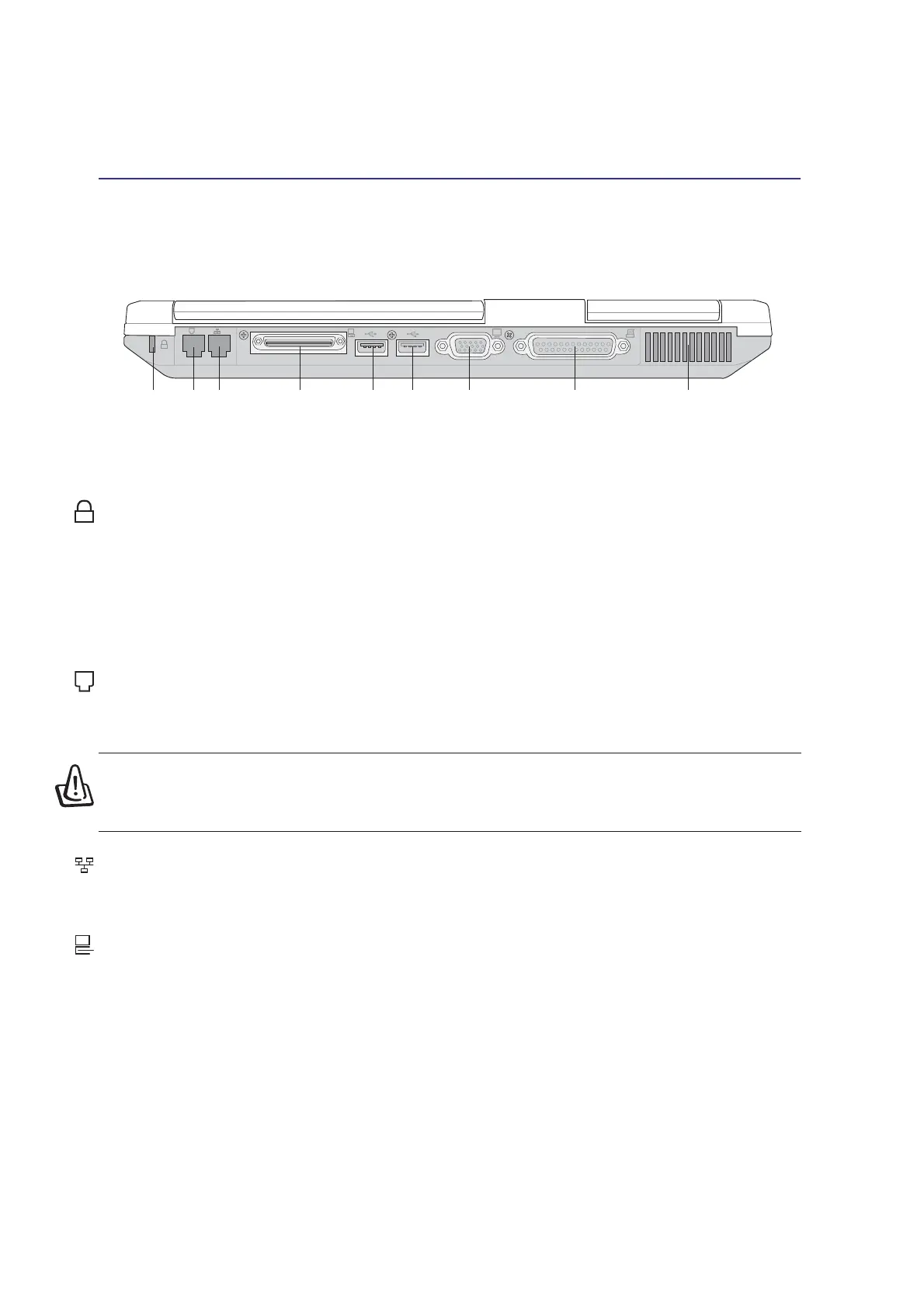
Refer to the diagram below to identify the components on the rear side of the Notebook PC.
Kensington
®
Lock Port
The Kensington
®
lock port allows the Notebook PC to be secured using Kensington
®
compatible Note-
book PC security products. These security products usually include a metal cable and lock that prevent
the Notebook PC to be removed from a fixed object. Some security products may also include a motion
detector to sound an alarm when moved.
The following describes the components on the rear side of the Notebook PC as shown by the illustra-
tion above.
Modem Port
The RJ-11 telephone port supports an RJ-11 telephone cable. The internal modem supports up to 56K
V.90 transfers. The built-in connector allows convenient use without a dongle.
K
Modem Port
(RJ-11)
LAN Port
(RJ-45)
External
Monitor Port
Air Vent and
Cooling Fan
USB Ports
External
Expansion
Port
Parallel Port
Kensington
®
Lock Port
K
LAN Port
The RJ-45 LAN port supports an RJ-45 Ethernet cable. The internal LAN supports 10Base-T or 100Base-
TX standard or duplex networks. The built-in connector allows convenient use without a dongle.
External Expansion Port
The External Expansion Port is for connection to an optional Portbar II or PortDock II to provide a
docking solution to desktop peripherals and expansion options to various drive modules. More details
given later.
WARNING! The built-in modem does not support the voltage used in digital phone
systems. Do not connect the modem port to a digital phone system or else damage
will occur to the Notebook PC.











 To Next Page