
 Need help?
Do you have a question about the Asus N3050I-C and is the answer not in the manual?
Precautions before installing motherboard components or changing settings.
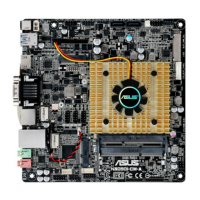
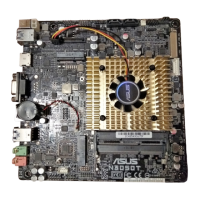
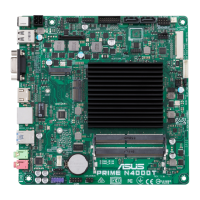
Details motherboard layout, placement direction, and screw holes for chassis installation.
Information on the onboard Intel Celeron processor and CPU heatsink.
Details on DDR3 U-DIMM sockets, memory configurations, and installation.
Information on installing and configuring expansion cards, including Mini PCIe and PCIe x4 slots.
Details on Clear CMOS, display panel power/backlight selectors, and chassis intrusion connector.
Description of rear and internal connectors for peripherals and system components.
Information on supported operating systems and the contents of the support DVD.
Guide to preloading USB 3.0 drivers and installing Windows 7 64-bit.
Procedures for saving, updating, and recovering the motherboard BIOS.
Guide to entering BIOS setup, navigating modes, and configuring system parameters.
Personal space to save and access frequently used BIOS settings.
Overview of basic system info, date, time, language, and security settings.
Detailed settings for CPU, SoC, SATA, Network, USB, and Onboard devices.
Displays system temperature, fan speeds, voltages, and allows fan control.
Configuration options for system boot order, fast boot, and device initialization.
Access to utilities like EZ Flash 2, Overclocking Profile, and SPD Information.
Options to load defaults, save changes, discard changes, or launch EFI Shell.
Regulatory compliance statements for FCC, IC, VCCI, KC, and REACH regulations.
Contact details for ASUS technical support and general inquiries worldwide.
 General
| Form Factor | Mini ITX |
|---|---|
| CPU | Intel Celeron N3050 |
| Socket | FCBGA1170 |
| Memory Type | DDR3L |
| Max Memory | 8 GB |
| SATA | 2 x SATA 6Gb/s |
| Video Outputs | 1 x HDMI, 1 x VGA |
| Memory Slots | 2 |
| USB Ports | 4 x USB 2.0 |
| Audio | Realtek ALC887 8-Channel High Definition Audio |
| LAN | Realtek RTL8111H |
| Chipset | SoC (System on Chip) |



 To Next Page
