EasyManua.ls Logo

Asus Orion - User Manual

Asus Orion
43 pages
Print Icon
To Next Page IconTo Next Page
Loading...
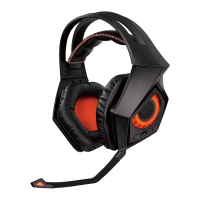
Orion
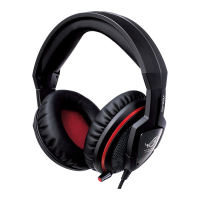
Gaming Headset
E7563 / First Edition / August 2012
Quick Start Guide
English ...........................................2
Français
.........................................4
Deutsch
.........................................6
Italiano
..........................................8
Русский
.........................................10
Čeština
...........................................12
Dansk
.............................................14
Nederlands
h ................................16
Suomi
.............................................18
Ελληνικά
........................................20
Magyar
..........................................22
Norsk
..............................................24
Polski
..............................................26
Português
.....................................28
Română
.........................................30
Slovenščina
..................................32
Español
..........................................34
Svenska
.........................................36
Українська
...................................38
Türkçe
............................................40
Hrvatski
.........................................42
U7563_Orion_QSG.indb 1 5/29/13 2:47:44 PM
Question and Answer IconNeed help?

Do you have a question about the Asus Orion and is the answer not in the manual?

Summary

Getting to Know Your Headset

Adjustable Headband

Allows you to adjust the headset for a snug fit on your head.

Ear Cups

Provides you with an enhanced audio experience.

Microphone

Storable and adjustable microphone for two-way communication.

Headphone Plug

Allows you to connect to the headphone port of your computer.

Microphone Plug

Allows you to connect to the microphone port of your computer.

In-line Clip

Allows you to clip the in-line volume control to your clothes.

Volume and Mute Controls

Volume Control

Allows you to increase/decrease the volume.

Mute Control

Allows you to put the microphone on mute mode.

Specification Summary

Wearing Your Headset

Using the Orion Headset and Microphone

Asus Orion Specifications

General IconGeneral
ConnectivityWired
Connector3.5 mm
Impedance32 Ohm
Frequency Response20 - 20000 Hz
Microphone Frequency Response50Hz - 16kHz

Related product manuals