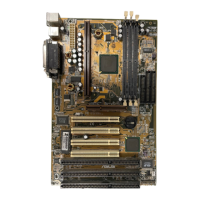
ASUS P2L97 User’s Manual
4
CONTENTS
I. INTRODUCTION 7
How this Manual is Organized ........................................................... 7
Item Checklist ..................................................................................... 7
II. FEATURES 8
Features of the ASUS P2L97 Motherboard ........................................ 8
The ASUS P2L97 Motherboard .................................................... 9
III. INSTALLATION 10
Layout of the ASUS P2L97 Motherboard ........................................ 10
Installation Steps............................................................................... 12
1. Jumpers ......................................................................................... 12
Jumper Settings ........................................................................... 13
2. System Memory (DIMM) ............................................................ 17
DIMM Memory Installation Procedures: .............................. 18
3. Central Processing Unit (CPU).................................................... 19
Pentium II Processor.............................................................. 19
AAVID Heatsink ................................................................... 23
Elan Vital Heatsink ................................................................ 23
4. Expansion Cards ........................................................................... 24
Expansion Card Installation Procedure ................................. 24
Assigning IRQs for Expansion Cards.................................... 24
Assigning DMA Channels for ISA Cards.............................. 25
ISA Cards and Hardware Monitor ......................................... 25
5. External Connectors..................................................................... 26
Power Connection Procedures .................................................... 33
IV. BIOS SOFTWARE 34
Support Software......................................................................... 34
Flash Memory Writer Utility....................................................... 34
Main Menu ............................................................................ 35
Advanced Features Menu ...................................................... 35
Managing and Updating Your Motherboard’s BIOS................... 36
6. BIOS Setup .................................................................................. 37
Load Defaults ........................................................................ 38



 To Next Page