ASUS P4B533 motherboard user guide
2-21
P4B533
®
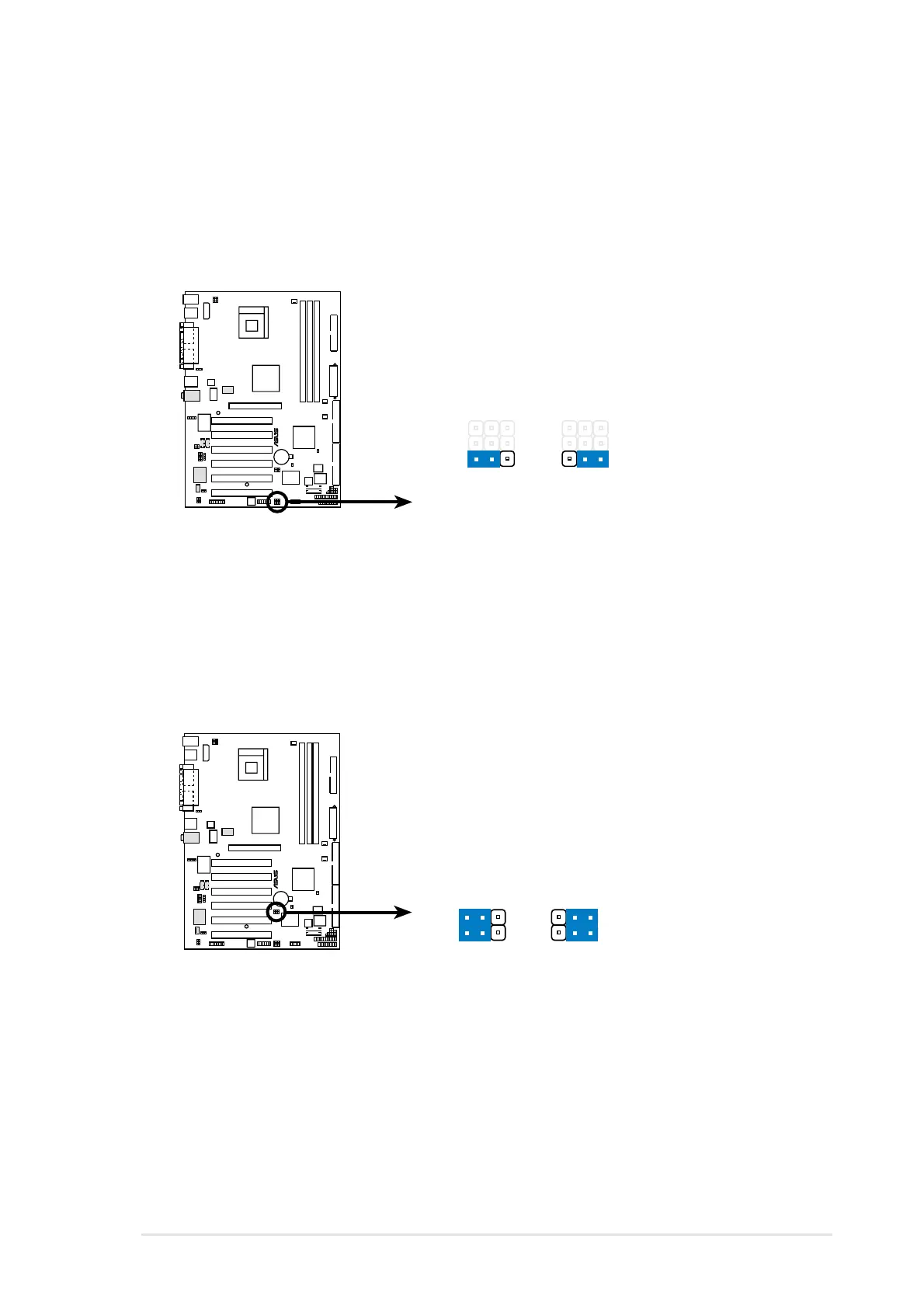
P4B533 PCISMB Setting
PCISMB_SW1
PCISMB_SW2
Disable
Enable
(Default)
12
2
3
P4B533
®
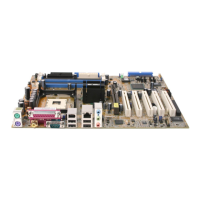
P4B533 Speaker Selector
SPEECH
LINEOUT BUZZER
(Default)
12
2
3
7. Speaker selector (3-pin SPEECH)
This jumper allows you to select the speaker you wish to use for the
ASUS POST Reporter™ function. Set to pins 1-2 to use an external
speaker. Connect the speakers to the Line Out jack (lime colored) on
the rear panel. Set to pins 2-3 to use an internal speaker (usually built
in the chassis).
8. SMBus 2.0 setting (3-pin PCISMB_SW1, PCISMB_SW2)
These jumpers allow you to enable or disable the SMBus 2.0 support
on the motherboard. When these jumpers are set to pins 2-3 (Enable),
you may install PCI devices that comply with SMBus 2.0 specification.


 To Next Page