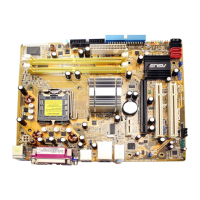
ASUS P5AD2-EASUS P5AD2-E
ASUS P5AD2-EASUS P5AD2-E
ASUS P5AD2-E
A.3 Intel
®
Hyper-Threading Technology
• The motherboard supports Intel
®
Pentium
®
4 LGA775 processors
with Hyper-Threading Technology.
• Hyper-Threading Technology is supported under Windows
®
XP/2003
Server and Linux 2.4.x (kernel) and later versions only. Under Linux, use
the Hyper-Threading compiler to compile the code. If you are using any
other operating systems, disable the Hyper-Threading Techonology
item in the BIOS to ensure system stability and performance.
• Installing Windows
®
XP Service Pack 1 or later version is recommended.
• Make sure to enable the Hyper-Threading Technology item in BIOS
before installing a supported operating system.
• For more information on Hyper-Threading Technology, visit
www.intel.com/info/hyperthreading.
Using the Hyper-Threading TechnologyUsing the Hyper-Threading Technology
Using the Hyper-Threading TechnologyUsing the Hyper-Threading Technology
Using the Hyper-Threading Technology
To use the Hyper-Threading Technology:
1. Install an Intel
®
Pentium
®
4 CPU that supports Hyper-Threading
Technology.
2. Power up the system and enter the BIOS Setup. Under the
AdvancedAdvanced
AdvancedAdvanced
Advanced
MenuMenu
MenuMenu
M e n u, make sure that the item
Hyper-Threading Technology Hyper-Threading Technology
Hyper-Threading Technology Hyper-Threading Technology
Hyper-Threading Technology is
set to
EnabledEnabled
EnabledEnabled
Enabled. See page 3-26 for details.
The BIOS item appears only if you installed a CPU that supports
Hyper-Threading Techonology.
3. Restart the computer.



 To Next Page