ASUS P5AD2-EASUS P5AD2-E
ASUS P5AD2-EASUS P5AD2-E
ASUS P5AD2-E
2-272-27
2-272-27
2-27
6.6.
6.6.
6.
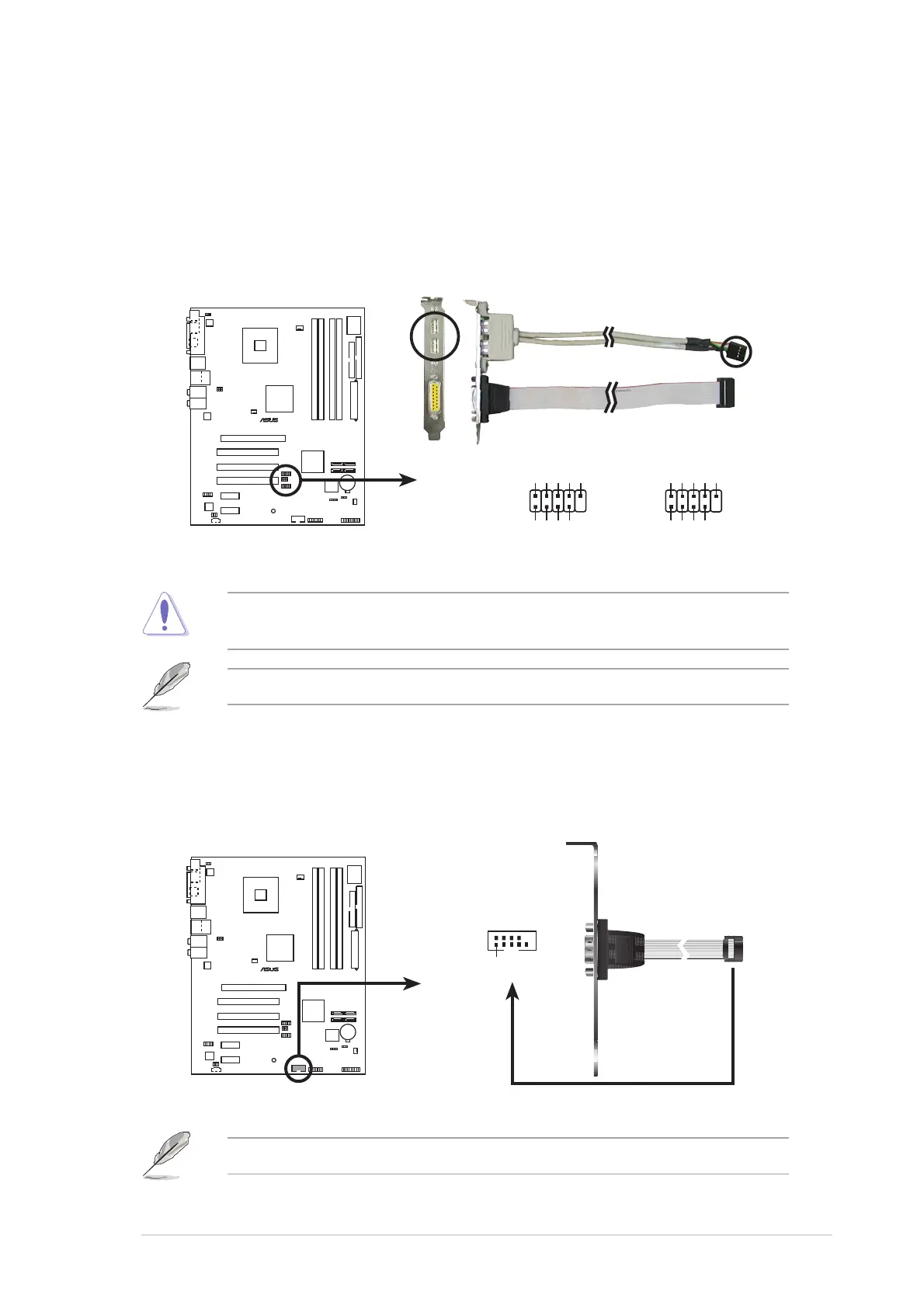
USB connectors (10-1 pin USB56, USB78)USB connectors (10-1 pin USB56, USB78)
USB connectors (10-1 pin USB56, USB78)USB connectors (10-1 pin USB56, USB78)
USB connectors (10-1 pin USB56, USB78)
These connectors are for USB 2.0 ports. Connect the USB/GAME
module cable to any of these connectors, then install the module to a
slot opening at the back of the system chassis. These USB connectors
comply with USB 2.0 specification that supports up to 480 Mbps
connection speed.
Never connect a
1394 cable1394 cable
1394 cable1394 cable
1394 cable to the USB connectors. Doing so will
damage the motherboard!
P5AD2-E
P5AD2-E USB 2.0 connectors
USB56
USB+5V
USB_P6-
USB_P6+
GND
NC
USB+5V
USB_P5-
USB_P5+
GND
1
USB78
USB+5V
USB_P8-
USB_P8+
GND
NC
USB+5V
USB_P7-
USB_P7+
GND
1
The USB cable is purchased separately.
7.7.
7.7.
7.
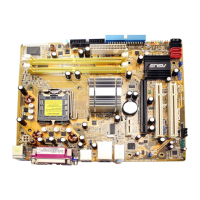
Serial port connector (10-1 pin COM1)Serial port connector (10-1 pin COM1)
Serial port connector (10-1 pin COM1)Serial port connector (10-1 pin COM1)
Serial port connector (10-1 pin COM1)
This connector is for a serial (COM) port. Connect the serial port
module cable to this connector, then install the module to a slot
opening at the back of the system chassis.
P5AD2-E
P5AD2-E Serial port connector
PIN 1
COM1
The serial port cable is purchased separately.



 To Next Page