
 Need help?
Do you have a question about the Asus P5KPL-AM and is the answer not in the manual?
The ASUS P5KPL-AM is a motherboard designed for desktop computers, serving as the central hub that connects and allows communication between all hardware components. It supports Intel processors in the 775-land package, making it compatible with a range of CPUs from that era. The board is designed to facilitate the installation of essential components such as the CPU, system memory, and various expansion cards, enabling users to build or upgrade their personal computers.
The primary function of the P5KPL-AM is to provide a platform for assembling a functional computer system. It integrates key controllers and interfaces necessary for the operation of a PC. The motherboard features a CPU socket, specifically an LGA775 socket, which is where the Intel processor is installed. This socket ensures proper electrical and physical connection between the CPU and the rest of the system.
For system memory, the P5KPL-AM includes two DDR2 DIMM slots, allowing users to install unbuffered non-ECC DDR2 memory modules in various capacities (256 MB, 512 MB, 1 GB, and 2 GB). These slots support dual-channel memory configuration, which can enhance memory bandwidth and overall system performance. The motherboard intelligently manages memory allocation, mapping the total size of the lower-sized channel for dual-channel operation and any excess memory from the higher-sized channel for single-channel operation. This flexibility allows for different memory configurations, though it is recommended to use DIMMs with the same CAS latency and, ideally, from the same vendor for optimal compatibility. It's important to note that the motherboard does not support memory modules made up of 128 Mb chips or double-sided x16 memory modules. Also, when installing two 2GB memory modules, the system might recognize less than 3GB due to address space reservations for critical functions, especially on Windows XP 32-bit operating systems.
Expansion capabilities are provided through several PCI Express and PCI slots. It includes one PCI Express x16 slot for a graphics card, one PCI Express x1 slot for other high-speed peripherals, and two standard PCI slots for older expansion cards. These slots allow users to add dedicated graphics cards, sound cards, network cards, or other specialized hardware to extend the computer's functionality.
The motherboard also integrates various onboard connectors and ports for essential peripherals. These include USB ports (both internal headers and external ports), a LAN port for network connectivity, audio jacks for sound input and output, and legacy ports such as PS/2 for keyboard and mouse, a parallel port, and a COM port. Storage connectivity is handled by SATA ports for modern hard drives and SSDs, and an IDE connector for older PATA devices. A floppy disk drive connector is also present, catering to systems that might still utilize this older storage medium.
The BIOS (Basic Input/Output System) is a crucial component stored in the Flash ROM on the motherboard. It is responsible for initializing hardware components during startup, managing basic system settings, and loading the operating system. The P5KPL-AM's BIOS can be configured through a Setup utility, which provides options for adjusting system parameters. The BIOS also includes features for updating and recovery, ensuring system stability and maintainability.
The ASUS P5KPL-AM is designed with user-friendly installation and configuration in mind.
CPU Installation: The process for installing an Intel processor in the 775-land package is straightforward. It involves releasing a load lever and load plate, removing a protective PnP cap, carefully positioning the CPU with alignment keys, and then securing it by closing the load plate and engaging the load lever. Users are advised to handle the CPU and socket with care to prevent damage to the socket pins, and to retain the PnP cap for product returns.
Memory Installation: Installing DDR2 DIMMs involves inserting the modules into the designated slots. The motherboard supports flexible memory configurations, allowing for varying sizes in Channel A and Channel B, which the system then optimizes for dual-channel or single-channel operation. For best results, using modules with identical CAS latency and from the same vendor is recommended.
BIOS Configuration and Updates: The motherboard's BIOS can be accessed and configured during the Power-On Self Test (POST) by pressing the
For BIOS updates, the P5KPL-AM offers several methods:
Software Support: The motherboard comes with a support CD that contains essential utility drivers and useful software to enhance its features. The CD typically auto-runs to display a welcome screen and installation menus. If Autorun is disabled, users can manually launch the ASSETUP.EXE file from the BIN folder on the CD. The motherboard supports Windows 32-bit XP/Vista and 64-bit XP/Vista operating systems, and users are encouraged to install the latest OS versions and updates to maximize hardware features.
The ASUS P5KPL-AM incorporates features that aid in system maintenance and troubleshooting.
BIOS Recovery (CrashFree BIOS 3): As mentioned, the CrashFree BIOS 3 feature is a critical maintenance tool. It allows users to recover from a corrupted BIOS without needing to replace the BIOS chip, significantly simplifying troubleshooting for BIOS-related issues. This feature ensures that even if a BIOS update fails or the BIOS becomes corrupted for other reasons, the system can still be restored to a functional state.
CMOS Clear Jumper: The motherboard includes a CLRTC (Clear RTC RAM) jumper, which allows users to clear the CMOS (Complementary Metal-Oxide-Semiconductor) memory. Clearing the CMOS resets the BIOS settings to their factory defaults. This is a useful troubleshooting step if incorrect BIOS settings prevent the system from booting or cause instability.
Diagnostic LEDs/Headers: While not explicitly detailed as advanced diagnostic LEDs, the motherboard layout shows various headers for front panel connections, including power LED, hard drive activity LED, power button, and reset button. These indicators can provide basic visual cues about the system's operational status, aiding in initial troubleshooting.
Documentation and Support: The availability of a quick start guide and a more comprehensive user guide (referenced for detailed BIOS information) is a key maintenance feature. These documents provide step-by-step instructions for installation, configuration, and troubleshooting. Additionally, ASUS provides online support through its website (www.asus.com), where users can find updated BIOS files, drivers, and further technical assistance, ensuring long-term support for the product.
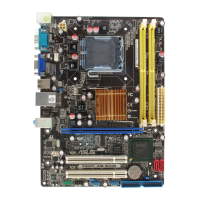
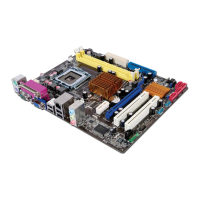
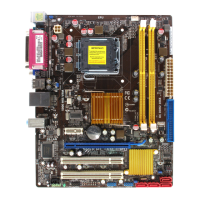
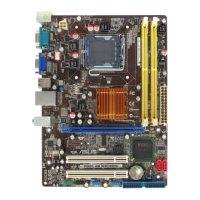
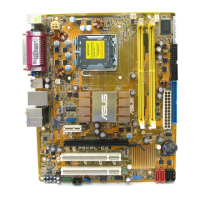
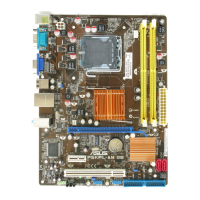
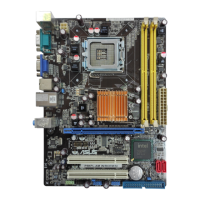
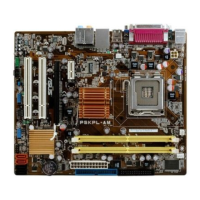
Component Layout for Accessibility: The physical layout of components on the motherboard, as depicted in the diagram, is designed to allow relatively easy access to key components like the CPU socket, DIMM slots, and expansion slots. This facilitates installation, upgrades, and maintenance tasks such as cleaning or replacing components. The clear labeling of connectors and headers further aids in correct assembly and troubleshooting.
 General
| Form Factor | Micro ATX |
|---|---|
| Chipset | Intel G31 |
| Socket | LGA 775 |
| Memory Type | DDR2 |
| Memory Slots | 2 x DIMM |
| Maximum Memory | 4GB |
| Integrated Graphics | Intel GMA 3100 |
| FSB | 1600/1333/1066/800 MHz |
| Audio Channels | 6 |
| USB Ports | 8 x USB 2.0 |
| Video Outputs | 1 x VGA |
| PS/2 | 1 x PS/2 Keyboard, 1 x PS/2 Mouse |
| Memory Standard | DDR2 800/667 |
| Expansion Slots | 1 x PCIe x16, 2 x PCI |
| Storage Interface | 4 x SATA 3Gb/s |
| Audio | Realtek ALC662 |
| LAN | Realtek RTL8111C Gigabit LAN controller |
| Supported CPU | Intel Core 2 Quad, Core 2 Duo, Pentium, Celeron |



 To Next Page