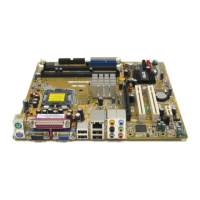
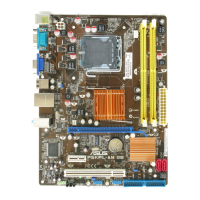
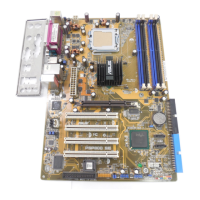
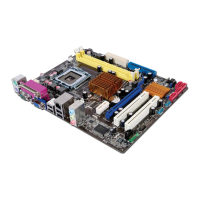
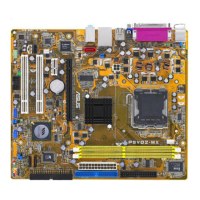
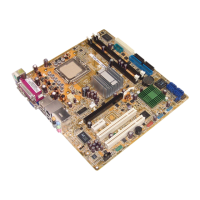
The ASUS P5LD2-TVM SE/S is a motherboard designed to support Intel® Core™2 Extreme/Core™2 Duo/Pentium® D/Pentium® 4/Celeron® processors in an LGA775 socket. It is compatible with Intel® 06/05B/05A processors and supports Intel® next-generation 65nm processors, Intel® Enhanced Memory 64 Technology (EM64T), Intel® Enhanced SpeedStep® Technology (EIST), and Intel® Hyper-Threading Technology.
Technical Specifications:
- CPU Support: LGA775 socket for Intel® Core™2 Extreme/Core™2 Duo/Pentium® D/Pentium® 4/Celeron® processors.
- Chipset: Northbridge: Intel® 945G; Southbridge: Intel® ICH7.
- Front Side Bus (FSB): 1066/800/533 MHz.
- Memory: Dual-channel memory architecture with 2 x 240-pin DIMM sockets supporting up to 2GB of unbuffered non-ECC 667/533 MHz DDR2 DIMMs.
- VGA: Integrated Intel® Graphics Media Accelerator 950.
- Expansion Slots: 1 x PCI Express x16, 1 x PCI Express x1, 2 x PCI slots.
- Storage: Intel® ICH7 Southbridge supports 1 x Ultra DMA 100/66/33 and 4 x Serial ATA 300/150/100 Gb/s ports.
- Audio: Realtek® ALC888 8-channel High-Definition audio CODEC (Realtek® ALC655 6-channel CODEC is optional).
- LAN: Gigabit LAN controller (10/100 Mbps LAN controller is optional).
- USB: Supports up to 8 USB 2.0 ports.
- Rear Panel I/O: 1 x Parallel port, 1 x LAN (RJ-45) port, 4 x USB 2.0 ports, 1 x VGA port, 1 x Serial port (COM), 1 x PS/2 keyboard port, 1 x PS/2 mouse port, 8-channel high-definition audio I/O ports.
- BIOS Features: 4 Mb Flash ROM, AMI BIOS, PnP, WfM2.0, DMI2.0, SM BIOS 2.3, ASUS EZ Flash, CrashFree BIOS2, ASUS Update.
- Industry Standard: PCI 2.2, USB 2.0.
- Manageability: WfM 2.0, DMI 2.0, WOL by PME, WOR by PME, Chassis Intrusion.
- Internal Connectors: 2 x USB 2.0 connectors for 4 additional USB 2.0 ports, 1 x CPU fan connector, 1 x Chassis fan connector, 1 x 24-pin EATX power connector, 1 x 4-pin ATX 12 V power connector, 1 x CD in connector, 1 x Chassis intrusion connector, 1 x Front panel high-definition audio connector, 1 x S/PDIF out connector (optional).
- Power Requirement: ATX power supply (with 24-pin and 4-pin 12 V plugs).
- Form Factor: Micro-ATX form factor: 9.6 in x 9.0 in.
Function Description:
The motherboard serves as the central hub for a computer system, connecting and allowing communication between various components. It supports a range of Intel processors, providing a foundation for computing tasks. The integrated Intel® Graphics Media Accelerator 950 offers basic display capabilities. With multiple expansion slots (PCIe x16, PCIe x1, PCI), users can add graphics cards, network cards, and other peripherals to enhance system functionality. The Intel® ICH7 Southbridge manages storage devices, including Ultra DMA and Serial ATA ports for hard drives. The Realtek® ALC888 audio CODEC provides 8-channel high-definition audio, while the Gigabit LAN controller enables network connectivity. The motherboard also features multiple USB 2.0 ports for connecting various external devices.
Usage Features:
- CPU Installation: The manual provides detailed instructions for installing the CPU, including precautions against damaging socket pins and proper alignment using the gold triangle and CPU notch. It emphasizes the importance of keeping the PnP cap for warranty purposes.
- CPU Heatsink and Fan Installation/Uninstallation: Specific steps are outlined for installing and uninstalling the CPU heatsink and fan, including orienting the heatsink correctly and connecting the CPU fan cable to the motherboard's CPU_FAN connector. It warns against insufficient airflow.
- Memory Installation: Instructions for installing DDR2 DIMMs are provided, highlighting the keyed notch to prevent incorrect insertion and warning against using DDR DIMMs in DDR2 sockets.
- Expansion Card Installation: The manual guides users through installing expansion cards into PCI and PCI Express slots, including securing the card to the chassis and configuring software settings.
- Jumper Settings: The Clear RTC RAM (CLRTC) jumper allows users to clear CMOS memory, including date, time, and system setup parameters. The manual provides steps for this process and warns against removing the cap from the default position except when clearing RTC RAM.
- Rear Panel Connectors: A comprehensive description of all rear panel connectors is included, such as PS/2 ports, parallel port, optional 1394 port, LAN (RJ-45) port with LED indications, audio ports (Rear Speaker Out, Center/Subwoofer, Line In, Line Out, Microphone, Side Speaker Out), USB 2.0 ports, VGA port, and serial connector. An audio configuration table clarifies the function of audio ports in 2, 4, 6, or 8-channel setups.
- Internal Connectors: Descriptions of internal connectors like Serial ATA, CPU and Chassis fan connectors, Digital Audio connector (SPDIF_OUT), Serial port, USB connectors, Front panel audio connector (AAFP), Chassis intrusion connector, and IEEE 1394a port are provided. Warnings are given for fan connectors (not to place jumper caps) and IEEE 1394a connectors (not to connect USB cables).
- System Panel Connector: Details for connecting the system power button, system power LED, reset button, and hard disk drive activity LED are included, with color-coding for easy connection.
- BIOS Setup Program: The BIOS setup utility allows users to configure system settings. It is accessible by pressing
during POST. The manual describes the menu screen, navigation keys, menu items (Main, Advanced, Power, Boot, Exit), sub-menu items, configuration fields, pop-up windows, scroll bars, and general help.
- BIOS Management and Updating: The motherboard supports several utilities for managing and updating the BIOS:
- ASUS AFUDOS: Updates BIOS in DOS mode using a bootable floppy disk. Instructions for copying the current BIOS and updating the BIOS file are provided, with warnings against system shutdown during the process.
- ASUS EZ Flash: Updates BIOS using a floppy disk during POST. Users need to rename the BIOS file to LD2TVMSE.ROM.
- ASUS CrashFree BIOS 2: An auto-recovery tool that restores the BIOS from a motherboard support CD or floppy disk if it becomes corrupted.
- ASUS Update: A Windows® utility to save, update, and view BIOS version information. It requires an Internet connection.
- Main Menu Settings: Allows setting system time, system date, and legacy diskette type. It also provides an overview of IDE device information and system specifications.
- Advanced Menu Settings: Allows changing settings for CPU and other system devices.
- USB Configuration: Enables/disables USB function, legacy USB support, and configures USB 2.0 controller mode (HiSpeed/Full Speed).
- CPU Configuration: Displays CPU information and allows setting Ratio CMOS Setting, Execute Disable Function, and CPU Internal Thermal Control.
- Chipset: Allows setting DRAM frequency, configuring DRAM timing by SPD (Serial Presence Detect), and various DRAM timing parameters (CAS# Latency, RAS# Precharge, RAS# to CAS# Delay, RAS# Activate to Precharge, Write Recovery Time). It also configures Graphic Adapter Priority, Internal Graphics Mode Select, and Graphics memory type.
- Onboard Devices Configuration: Enables/disables HD Audio Controller, Front Panel Support Type, Onboard LAN Controller, Onboard LAN BOOT ROM, and configures Serial Port1/Port2 Address, Parallel Port Address, Parallel Port Mode (Normal, Bi-Directional, EPP, ECP), ECP Mode DMA Channel, EPP Version, and Parallel Port IRQ.
- PCI PnP: Allows changing advanced settings for PCI/PnP devices, including IRQ and DMA channel resources, and memory size block for legacy ISA devices.
- Power Menu Settings: Allows changing settings for Advanced Configuration and Power Interface (ACPI) and Advanced Power Management (APM).
- Suspend Mode: Configures the system's suspend state (S1/S3).
- Repost Video on S3 Resume: Determines if VGA BIOS POST is invoked on S3/STR resume.
- ACPI 2.0 Support: Enables/disables ACPI 2.0 support.
- ACPI APIC Support: Enables/disables ACPI APIC support.
- APM Configuration: Configures Power Button Mode, Restore on AC Power Loss, Power On By RTC Alarm, Power On By External Modems, Power On By PCI Devices, and Power On By PCIE Devices.
- Hardware Monitor: Displays CPU temperature, MB temperature, CPU/Chassis fan speed, CPU Q-Fan Control settings (Start PWM, Start Tolerance, Start Temperature), and voltage readings (VCORE, 3.3V, 5V, 12V).
- Boot Menu Settings: Allows changing system boot options.
- Boot Device Priority: Specifies the boot device sequence.
- Boot Settings Configuration: Configures Quick Boot, Full Screen Logo, Addon ROM Display Mode, Bootup Num-Lock, PS/2 Mouse Support, Wait for 'F1' if Error, Hit 'DEL' Message Display, and Interrupt 19 Capture.
- Security Settings: Allows changing supervisor and user passwords, and setting user access levels (No Access, View Only, Limited, Full Access).
- Exit Menu: Provides options to Exit & Save Changes, Exit & Discard Changes, Discard Changes, and Load Setup Defaults.
Maintenance Features:
- BIOS Update Utilities: ASUS AFUDOS, EZ Flash, CrashFree BIOS 2, and ASUS Update provide various methods for updating and recovering the BIOS, ensuring system stability and compatibility with new hardware or software.
- CMOS Clear Jumper: The CLRTC jumper allows users to clear the CMOS RAM, which can be useful for troubleshooting or resetting BIOS settings, including forgotten passwords.
- Hardware Monitoring: The Hardware Monitor feature in BIOS allows users to keep track of critical system parameters like CPU and motherboard temperatures, fan speeds, and voltages, aiding in preventive maintenance and identifying potential issues.
- System Stability: The manual emphasizes loading default BIOS settings if the system becomes unstable after configuration changes, promoting system compatibility and stability.
- Static Electricity Precautions: Users are advised to unplug the power cord and use a grounded wrist strap or touch a grounded object before handling components to prevent damage from static electricity.
- Component Handling: Instructions to hold components by the edges and place uninstalled components on antistatic pads or in their original bags help protect them from damage.

 Need help?
 General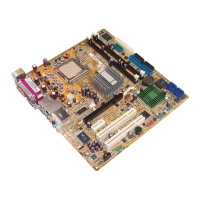




 To Next Page