
 Need help?
Do you have a question about the Asus P5QLD PRO and is the answer not in the manual?
Key motherboard features including CPU support, chipset, PCIe 2.0, and FSB support.
Details proprietary ASUS features like Express Gate, AI Life, and EPU for enhanced user experience.
Outlines essential safety guidelines and steps before handling motherboard components.
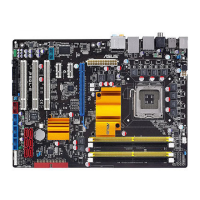
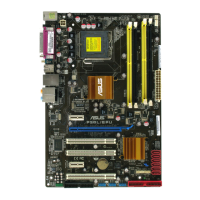
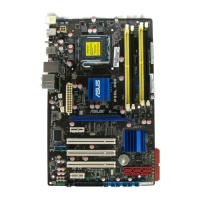
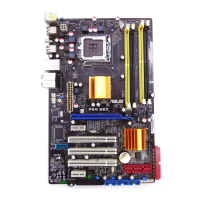
Describes motherboard layout, component placement, screw holes, and connector locations.
Provides detailed steps for installing and uninstalling the CPU and its heatsink assembly.
Explains DDR2 DIMM sockets, memory configurations, and installation procedures.
Describes PCI and PCI Express slots for adding expansion cards and their usage.
Explains jumper functions and details rear/internal connector pinouts for system connections.
Guides through the initial system power-on, POST sequence, and troubleshooting beeps.
Explains methods for shutting down the system via OS and the power switch.
Details utilities for BIOS update like ASUS Update, EZ Flash, AFUDOS, and CrashFree.
Explains how to navigate and use the BIOS setup utility interface and its main menus.
Covers basic system info, performance tuning (overclocking), and advanced hardware settings.
Explains power management, boot order, special tools, and saving/discarding BIOS settings.
Outlines the contents of the support DVD: drivers, utilities, manuals, and contact information.
Details specific software like MyLogo, Audio Config, PC Probe II, AI Suite, EPU, and Express Gate.
Explains 64-bit support and Intel SpeedStep power saving technology for enhanced performance.
Details how to enable and use the Intel Hyper-Threading feature for improved multitasking.
 General
| ECC | No |
|---|---|
| Non-ECC | Yes |
| Number of memory slots | 4 |
| Maximum internal memory | 16 GB |
| Processor socket | LGA 775 (Socket T) |
| Processor manufacturer | Intel |
| USB 2.0 connectors | 3 |
| Number of COM connectors | 1 |
| Number of SATA connectors | 6 |
| Headphone outputs | 8 |
| PS/2 ports quantity | 2 |
| USB 2.0 ports quantity | USB 2.0 ports have a data transmission speed of 480 Mbps, and are backwards compatible with USB 1.1 ports. You can connect all kinds of peripheral devices to them. |
| Firewire (IEEE 1394) ports | 0 |
| Audio output channels | 7.1 channels |
| Motherboard form factor | ATX |
| Networking features | AI NET 2 |
| BIOS type | AMI |
| ACPI version | 2.0 |
| BIOS memory size | 64 Mbit |
 Weight and Dimensions
| Depth | 193 mm |
|---|---|
| Width | 305 mm |



 To Next Page