ROG Rampage Formula 4-3
Updating the BIOS through a BIOS le
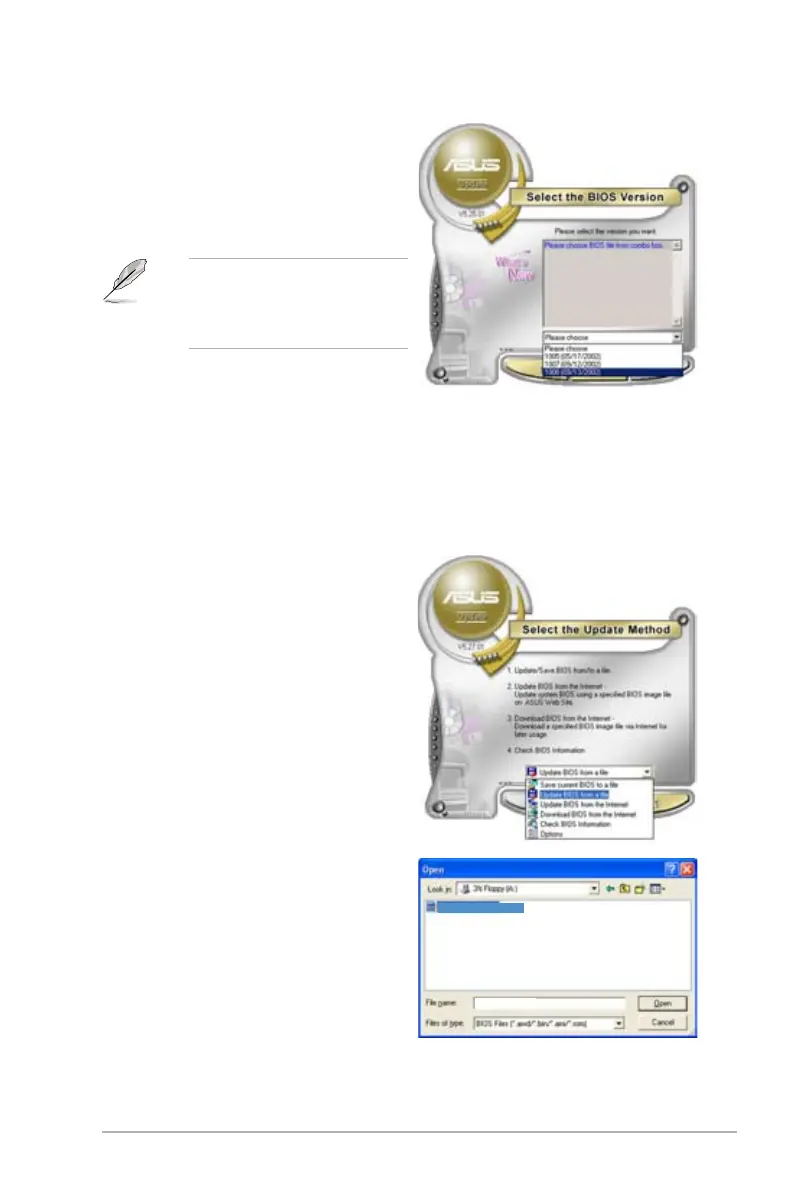
1. Launch the ASUS Update utility from the Windows
®
desktop by clicking Start
> Programs > ASUS > ASUSUpdate > ASUSUpdate. The ASUS Update
main window appears.
option from the drop-down menu,
then click Next.
4. From the FTP site, select the BIOS
version that you wish to download.
Click Next.
5. Follow the screen instructions to
complete the update process.
The ASUS Update utility is
capable of updating itself through
the Internet. Always update the
utility to avail all its features.
window, then click Open.
4. Follow the screen instructions to
complete the update process.
iFormula
iFormula











 To Next Page